
Best AI Coding Assistant 2026: Claude Code vs Cursor vs GitHub Copilot
The AI coding tool market flipped in early 2026. According to the DEV.to Developer AI Survey published in February, Claude Code is now used by 41% of professional developers — surpassing GitHub Copilot’s 38% for the first time since Copilot launched in 2021. Among developers at companies under 200 employees, Claude Code’s adoption jumps to 75%. Gartner estimates that 60% of new professional code is now AI-generated, up from 35% just twelve months ago.
If you are deciding which AI coding assistant to use in 2026 — or trying to justify the cost to your team — this guide gives you a direct, benchmark-backed answer. We compare Claude Code, Cursor, and GitHub Copilot across architecture, pricing, real-world performance, and the specific scenarios where each one genuinely wins. No vendor spin. No affiliate ranking games.
We also cover what is coming next: GPT-5.5 (codenamed Spud), which completed pretraining on March 24, 2026, and is expected to reshape the competitive landscape within weeks of this publication.
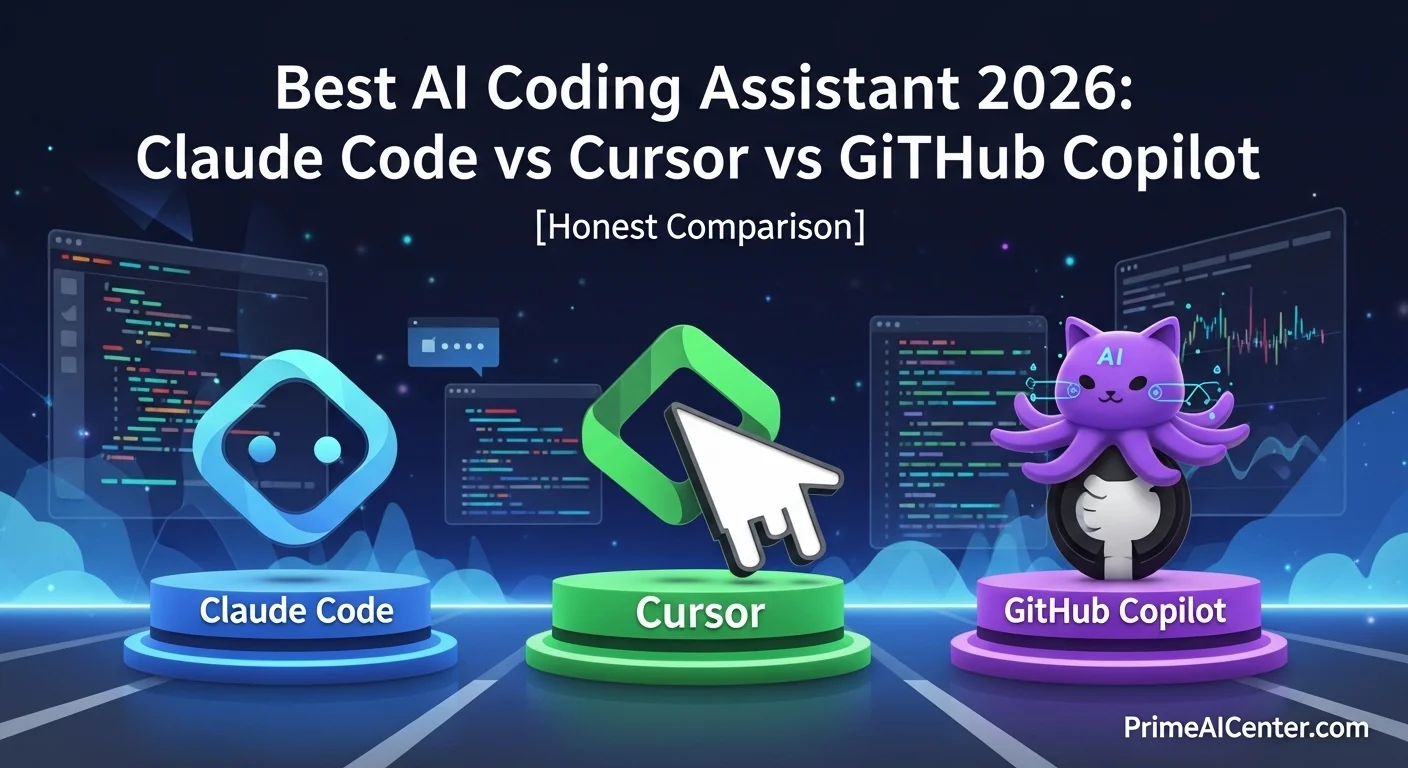
The 3 AI Coding Tools That Actually Matter in 2026

Before the feature comparisons, understand the design philosophies. These are not three versions of the same product — they are three fundamentally different answers to the question of how AI should integrate with software development.
| Tool | Philosophy | Best For | Model | Starting Price |
|---|---|---|---|---|
| Claude Code | Terminal-native autonomous agent — delegate entire tasks | Complex, multi-file, agentic workflows | Claude Opus 4.6 (200K ctx) | $20/mo (Pro) or API pay-as-you-go |
| Cursor | AI-native IDE — AI as pair programmer inside your editor | Daily editing, large codebases, IDE lovers | Claude/GPT/Gemini switchable | $20/mo (Pro) |
| GitHub Copilot | Plugin-based autocomplete — low friction, broad compatibility | Enterprise, multi-IDE, existing GitHub workflows | GPT-5.4 / Claude Opus 4.6 | $10/mo (Pro) / Free tier available |
The average enterprise developer now spends $380 per day on AI coding tools — a figure that represents a 5–8x return on developer productivity according to Gartner’s 2026 report. The question is not whether to use one of these tools, but which one fits your actual workflow.
Claude Code — Full Review 2026
Claude Code is Anthropic’s terminal-first autonomous coding agent, powered by Claude Opus 4.6 with a 200K token context window. It launched publicly in May 2025 and has grown to a $2.5 billion annualized revenue run rate as of February 2026 — more than doubling since the start of the year.
The design philosophy is delegation. You tell Claude Code what you want done — “refactor this module to TypeScript,” “add error handling to all API routes,” “audit this codebase for security vulnerabilities” — and it plans, executes, and verifies across multiple files autonomously. This is fundamentally different from autocomplete or chat-based code generation.
What Claude Code Does Exceptionally Well
Codebase-wide understanding. With 200K tokens of context, Claude Code can hold roughly 150,000 words of code simultaneously — meaning it can read and understand your entire repository before making changes. This is the core reason it outperforms alternatives on complex, cross-file tasks. Most other tools work on the file or function level. Claude Code works at the system level.
Autonomous multi-step execution. Claude Code does not just suggest — it acts. It can run bash commands, edit files, execute tests, and verify results in a continuous loop without requiring you to approve each step. One developer documented 10 billion tokens used over 8 months on the $100/month Max plan. The same usage on per-token API rates would have cost approximately $15,000. Predictable billing is a significant practical advantage for heavy users.
Security and vulnerability detection. This is Claude Code’s most differentiated capability in 2026, especially given the leaked details about Anthropic’s upcoming Claude Mythos model. Anthropic’s engineers have used Opus 4.6 to identify over 500 high-severity vulnerabilities in open-source production codebases. For teams in regulated industries or with security requirements, this is a qualitatively different kind of value than autocomplete.
MCP integration. Claude Code supports Anthropic’s Model Context Protocol, enabling persistent memory across sessions, browser automation, database integration, and connectivity to external tools. Cursor and Copilot do not offer equivalent MCP support, which limits their ability to participate in multi-agent workflows. For context on how MCP is transforming AI agent architecture, see our detailed guide on WebMCP and the MCP protocol.
Where Claude Code Falls Short
Learning curve. Claude Code’s terminal-first approach is genuinely powerful, but it demands a different mental model of development. Developers accustomed to editor-native tools will find the onboarding steeper than Cursor. The strongest results come when you learn to write clear, complete task descriptions rather than step-by-step instructions.
Cost unpredictability on API. Using Claude Code through direct API keys — rather than the flat-rate Max plan — can produce surprising bills. A single complex debugging session with Opus 4.6 can consume 500K+ tokens, costing $15 in one sitting. Set spending limits on API accounts and monitor usage weekly.
IDE integration is secondary. VS Code and JetBrains plugins exist, but the experience is strongest in the terminal. Teams that expect a polished embedded IDE experience will find it feels raw compared to Cursor.
Claude Code Pricing 2026
| Plan | Price | What You Get | Best For |
|---|---|---|---|
| Free | $0 | Limited usage, Sonnet 4.6 | Evaluation only |
| Pro | $20/mo | Higher limits, Opus 4.6 access | Individual developers |
| Max (5×) | $100/mo | 5× Pro usage, flat rate | Heavy individual use |
| Max (20×) | $200/mo | 20× Pro usage, flat rate | Power users, agency work |
| API (pay-as-you-go) | $15/$75 per M tokens | Maximum flexibility, unpredictable bills | Variable workloads with monitoring |
Bottom line on Claude Code: It is the best AI coding tool available in early 2026 if you measure by raw output quality and capability on complex tasks. If you are a solo developer doing complex work and want predictable costs, Claude Code Max at $100/month is the strongest value proposition in the market.
Cursor — Full Review 2026

Cursor is a VS Code fork rebuilt from the ground up with AI integrated into every workflow layer. It has over 1 million users and reportedly $2 billion in annual recurring revenue — the most commercially successful AI coding tool measured purely by revenue per user. The philosophy is AI as pair programmer: always present, contextually aware, responding to how you type rather than just what you ask.
What Cursor Does Exceptionally Well
Supermaven autocomplete. Cursor acquired Supermaven in 2025 and integrated its autocomplete engine, which achieves a 72% acceptance rate. Developers accept 7 out of 10 suggestions — a number that represents meaningful productivity gain during active coding. The completions are fast, contextually intelligent, and feel like the IDE reading your intentions.
Multi-file Composer. Cursor’s Composer feature lets you describe a change in natural language and have it plan and implement edits across multiple files. This is Cursor’s most direct competitor to Claude Code’s agentic execution — and for tasks that are well-defined and bounded within your current codebase context, Composer is fast and highly effective.
Model flexibility. Cursor lets you choose from Claude Opus 4.6, Sonnet 4.6, GPT-5.4, Gemini 3.1 Pro, and others within a single interface. This is genuinely useful for developers who want to use the best model for each task type rather than committing to one provider’s ecosystem. The best experience is with Claude models — some irony given that Claude Code is the competing product.
VS Code ecosystem compatibility. Cursor inherits the entire VS Code extension ecosystem. Every plugin, theme, keybinding, and settings configuration transfers. For developers already deep in the VS Code ecosystem, this is a near-zero-friction transition.
Where Cursor Falls Short
No MCP support. Cursor cannot participate in multi-agent workflows involving external tools, databases, or persistent memory in the way Claude Code can. For full-stack workflows that involve running tests, querying databases, or managing infrastructure, Cursor requires you to switch to a different tool.
No arbitrary shell execution. Cursor cannot spawn background processes, run arbitrary bash commands, or operate autonomously on your system the way Claude Code can. It is a highly capable AI-assisted editor, but it expects you to remain in the driver’s seat for execution.
VS Code only. If your team includes JetBrains, Neovim, or Xcode users, Cursor does not cover them. Enterprise teams with heterogeneous IDE environments will find Cursor’s single-editor focus limiting.
Cursor Pricing 2026
| Plan | Price | What You Get | Best For |
|---|---|---|---|
| Free | $0 | Limited usage across all features | Evaluation — hits ceiling quickly |
| Pro | $20/mo ($16/mo annual) | Generous usage, full model access | Most individual developers |
| Pro+ | $60/mo | 3× Pro usage, priority access | Power users hitting Pro limits |
| Ultra | $200/mo | 20× Pro usage, all features | Heaviest individual users |
| Business | ~$40/seat/mo | Team management, privacy mode | Teams needing admin controls |
Bottom line on Cursor: Cursor is the best daily driver if you measure by workflow integration, editing speed, and editor experience. For developers who want to stay in their editor, want AI that responds instantly as they type, and work primarily on well-defined coding tasks, Cursor Pro at $20/month is an exceptional value.
GitHub Copilot — Full Review 2026
GitHub Copilot launched in 2021 and created the AI coding assistant category. Four years in, it faces the most competitive landscape it has ever encountered — yet it remains the most widely deployed AI coding tool in the world, sustained by Microsoft’s enterprise distribution, deep GitHub integration, and the cheapest paid entry point in the market.
What GitHub Copilot Does Exceptionally Well
Broad IDE compatibility. Copilot works in VS Code, Visual Studio, JetBrains (IntelliJ, WebStorm, PyCharm), Neovim, Xcode, Eclipse, Zed, and Raycast. If your team uses multiple editors, nothing else comes close. This is Copilot’s strongest competitive advantage in enterprise settings.
Price. Copilot Pro at $10/month is the best value entry point in the entire AI coding market. For half the cost of Cursor Pro, you get 300 premium requests, unlimited completions, an agent mode, and access to Claude Opus 4.6. The free tier (2,000 completions + 50 premium requests/month) is genuinely useful for light usage — no other serious tool offers a comparable free tier.
Enterprise readiness. Copilot has been selling to enterprises since 2022. SSO integration, seat management, usage audits, data retention policies, and compliance certifications are all mature. Claude Code and Cursor are catching up, but Copilot has a two-year head start in enterprise security conversations.
GitHub-native workflows. Pull request summaries, issue-to-code workflows, and code review assistance all work natively because Copilot has direct access to GitHub’s context. For teams with GitHub-centric workflows, this integration eliminates friction that other tools cannot replicate.
Where GitHub Copilot Falls Short
Shallow reasoning. Copilot excels at local, pattern-based completions but struggles with complex multi-step logic, architectural decisions, or cross-file refactoring. The chat feature (Copilot Chat) is noticeably weaker than Claude or GPT-based alternatives in direct comparison. It is a completion engine first, an agent second.
No terminal integration for autonomous execution. Copilot cannot spawn processes, execute arbitrary commands, or operate autonomously on your system. Agent mode (via Copilot Workspace) handles bounded repository changes, but it is not in the same category as Claude Code for complex agentic tasks.
OpenAI dependency. Copilot’s tight Microsoft-OpenAI relationship means Claude integration is unlikely in the near term. As Claude models continue to lead on coding benchmarks, Copilot users are locked into OpenAI’s model family for the core experience.
GitHub Copilot Pricing 2026
| Plan | Price | What You Get | Best For |
|---|---|---|---|
| Free | $0 | 2,000 completions + 50 premium requests/mo | Students, light users |
| Pro | $10/mo ($8.33/mo annual) | Unlimited completions, 300 premium req/mo | Budget-conscious individuals |
| Pro+ | $39/mo | 1,500 premium requests/mo, more model access | Power individual users |
| Business | $19/seat/mo | Team management, data exclusion policies | Small to mid-size teams |
| Enterprise | $39/seat/mo | Full compliance, fine-tuning, audit logs | Large enterprises |
Bottom line on GitHub Copilot: Copilot is the best option if you measure by enterprise compliance, existing platform relationships, and price. It is not the most capable tool — but for teams that need to cover every IDE, keep costs low, or operate in regulated environments, it remains the rational default.
Head-to-Head Benchmark Comparison
| Feature / Metric | Claude Code | Cursor | GitHub Copilot |
|---|---|---|---|
| Dev adoption (Feb 2026) | 41% professional devs | Dominant among indie devs | 38% professional devs |
| Underlying model | Claude Opus 4.6 (native) | Claude / GPT / Gemini (switchable) | GPT-5.4 (primary) |
| Context window | 200K tokens | Model-dependent (up to 200K) | GPT-5.4 level (1M in API) |
| Agentic / autonomous execution | ⭐⭐⭐⭐⭐ Full system access | ⭐⭐⭐ Editor-bounded | ⭐⭐ Repository-bounded |
| Autocomplete quality | ⭐⭐⭐ Good | ⭐⭐⭐⭐⭐ Best (72% accept rate) | ⭐⭐⭐⭐ Strong |
| Multi-file editing | ⭐⭐⭐⭐⭐ Full codebase | ⭐⭐⭐⭐ Composer | ⭐⭐⭐ Workspace |
| Security / vulnerability detection | ⭐⭐⭐⭐⭐ Industry-leading | ⭐⭐⭐ Model-dependent | ⭐⭐⭐ Code review feature |
| IDE compatibility | ⭐⭐⭐ Terminal + VS Code | ⭐⭐ VS Code only | ⭐⭐⭐⭐⭐ All major IDEs |
| MCP / external integrations | ⭐⭐⭐⭐⭐ Full MCP support | ❌ No MCP | ❌ No MCP |
| Enterprise readiness | ⭐⭐⭐⭐ Improving rapidly | ⭐⭐⭐ Business tier exists | ⭐⭐⭐⭐⭐ Most mature |
| Price (individual) | $20–$200/mo flat or API | $20–$200/mo | $10–$39/mo |
| Free tier quality | ⭐⭐ Limited | ⭐⭐ Hits ceiling quickly | ⭐⭐⭐⭐ Genuinely useful |
| Reasoning quality (complex tasks) | ⭐⭐⭐⭐⭐ Best in class | ⭐⭐⭐⭐ Model-dependent | ⭐⭐⭐ Below Claude/GPT-5.4 |
Which AI Coding Tool Should You Use? Decision Guide

The honest answer most comparison articles avoid: the most productive developers in 2026 use two tools, not one. The most common professional stack is Cursor for daily editing combined with Claude Code for complex autonomous tasks — or Copilot for always-on autocomplete with Claude Code in the terminal for deep reasoning work.
That said, if you can only choose one:
Choose Claude Code if: You need autonomous, multi-step task execution across your entire codebase. You are doing security work, large-scale refactoring, or building complex multi-agent pipelines. You want MCP integration for persistent memory and external tool connectivity. You are a solo developer who wants flat-rate, predictable billing on heavy usage. For a broader view of how AI agents work at this level, see our guide on what AI agents are and how they work.
Choose Cursor if: You want AI that responds immediately as you type, integrated into your editor. You work primarily on well-defined tasks with bounded scope. You want model flexibility without committing to one provider. You are already in the VS Code ecosystem and do not want to change your workflow.
Choose GitHub Copilot if: Your team uses multiple IDEs. Budget is a primary constraint. You need enterprise compliance features that Cursor and Claude Code cannot yet match. You are already deep in the GitHub ecosystem and want native workflow integrations.
Choose the combination stack if: You are a professional developer or team that wants best-in-class at each level. The $30/month Copilot + Claude Pro combination covers daily autocomplete and complex reasoning tasks at a cost most professionals can justify easily.
What Is Coming Next: GPT-5.5 (Spud) and Claude Mythos
Any honest comparison of AI coding tools in April 2026 must acknowledge that the landscape is about to shift again — potentially significantly.
GPT-5.5 (Spud) completed pretraining on approximately March 24, 2026. OpenAI CEO Sam Altman has described it internally as a “very strong model” that could “really accelerate the economy” — language he does not deploy for incremental updates. OpenAI redirected Sora’s compute resources to training Spud, signaling how seriously the company views this release. A public launch is expected within weeks, likely branded as GPT-5.5 or GPT-6. When it arrives, GitHub Copilot and tools built on OpenAI models will likely be the first to benefit.
Claude Mythos (Capybara tier) is Anthropic’s next-generation model, accidentally leaked on March 26–27, 2026. It sits above Opus in a new fourth tier and is described as “dramatically higher” on coding benchmarks than Claude Opus 4.6 — which already leads Terminal-Bench 2.0 at 65.4%. When Mythos reaches general API availability (prediction markets give 67% probability by July 2026), Claude Code’s advantage on complex coding tasks will widen further. For the full breakdown of the Mythos leak and what it means, see our Claude Mythos complete review.
The implication for tool selection: if you are building workflows around Claude Code today, you are building on the platform that is about to receive the most powerful coding model ever released. If you are building on GPT-based tools, Spud may close the gap significantly within weeks.
For a full picture of all AI model releases and benchmark comparisons heading into Q2 2026, our best AI chatbots 2026 guide is updated regularly. Our best AI tools of 2026 covers the full ecosystem beyond just coding tools.
For Non-Developers: AI Coding Tools That Require No Coding Experience

Not every reader of this guide is a professional developer. If you are a solopreneur, content creator, or business owner who wants to build simple tools without deep coding knowledge, the landscape looks different.
Platforms like Replit, Lovable, and Bolt have lowered the barrier significantly — letting you describe an application in natural language and get a working prototype. These tools use the same underlying Claude and GPT models as the professional tools above, but with more guardrails and guided interfaces. For a practical framework on using these tools for business automation and income generation, our guide on how to make money with AI covers realistic monetization paths. For content creators specifically, our best AI tools for content creators covers the full production stack.
For the absolute beginner who wants to start coding with AI assistance today, GitHub Copilot’s free tier is the most accessible entry point. 2,000 free completions per month, zero credit card required, works inside VS Code which you can download for free.
Enterprise AI Coding: Deployment Considerations
For enterprise teams evaluating AI coding tool deployment at scale, several additional factors matter beyond individual tool capabilities.
Data handling and code privacy. All three tools offer enterprise plans with data exclusion policies — your code is not used to train models when you opt out. Verify this explicitly before deploying to production environments with proprietary code. Claude Code’s privacy model, particularly around the agentic operations revealed in the Claude Code source code leak, deserves review for teams with sensitive data handling requirements.
Seat cost at scale. GitHub Copilot Business at $19/seat is dramatically cheaper than Claude Code or Cursor at equivalent tiers. For a 100-person engineering team, Copilot Business costs $1,900/month. Cursor Business costs approximately $4,000/month. The productivity delta needs to justify the cost difference — and for many enterprise workflows, it does, but model carefully before committing.
Agent security. Agentic coding tools, particularly Claude Code, have broad system access. This is what makes them powerful — and what requires governance. The NIST AI Agent Standards Initiative, announced February 17, 2026, is developing frameworks for evaluating autonomous agent deployments. For enterprise deployment of AI agents, our guide on enterprise AI agent deployment covers the full governance framework. Our WhatsApp AI agents guide covers communication-layer agent patterns that complement coding agents in enterprise workflows.
For the broader AI landscape statistics that inform these enterprise decisions — adoption rates, ROI benchmarks, market sizing — our AI statistics 2026 guide is the most comprehensive resource we maintain.
Frequently Asked Questions
What is the best AI coding tool for solopreneurs?
Claude Code Max at $100/month provides the highest capability ceiling with predictable billing — the optimal choice for developers who do complex work and want no billing surprises. For non-technical solopreneurs building simple tools, GitHub Copilot free tier plus a no-code platform like Replit covers most use cases at minimal cost. For a full productivity toolkit, our best AI tools for solopreneurs covers the complete stack beyond just coding.
How does Claude Code compare to Cursor on pricing?
Both start at $20/month for individual use. Claude Code’s Max plan ($100/month) offers flat-rate billing regardless of usage — one developer tracked $100/month covering 10 billion tokens that would have cost $15,000 on per-token API pricing. Cursor Pro at $20/month is the better value for moderate usage; Claude Code Max is better for heavy, complex workloads where predictable billing matters.
Will GPT-5.5 (Spud) change this comparison?
Potentially significantly. Spud completed pretraining March 24, 2026, and Sam Altman has described it as having capabilities “very different from what we’ve seen before.” GitHub Copilot, which runs on OpenAI models, would likely be the first tool to benefit. OpenAI’s Codex CLI — a direct Claude Code competitor in the terminal space — would also upgrade. The current Claude Code advantage on reasoning and coding benchmarks may narrow when Spud launches. We will update this guide when public benchmarks are available.
Our Verdict: Best AI Coding Assistant by Use Case

| Use Case | Best Tool | Runner-Up |
|---|---|---|
| Complex agentic tasks, full codebase refactors | Claude Code | Codex CLI |
| Daily editing, autocomplete, pair programming | Cursor | Claude Code (IDE plugin) |
| Budget-conscious individuals | GitHub Copilot Pro ($10) | Cursor Pro ($20) |
| Enterprise compliance, multi-IDE teams | GitHub Copilot Enterprise | Claude Code (enterprise) |
| Security auditing, vulnerability detection | Claude Code | GitHub Copilot Code Review |
| Overall best value (individuals) | Cursor Pro ($20) + Claude Code free | Copilot Pro + Claude Pro ($30 total) |
| Beginners with zero budget | GitHub Copilot Free | Claude Code Free |
| Most powerful AI coding future (coming) | Claude Code + Mythos | Codex CLI + Spud |
The AI coding tool market has never moved faster. The tools that are best today may not hold that position in 90 days. GPT-5.5 is weeks away. Claude Mythos is months away. The smartest strategy is to build skills and workflows that are tool-agnostic at the edges — understanding agentic patterns, MCP integration, and prompt architecture — while using whichever specific tool best matches your current workflow today.
For a complete view of all AI tools worth knowing in 2026, our best AI tools of 2026 covers every category from coding to content creation to business automation. Our Kilo Code review covers a strong alternative to the three tools above for teams that want VS Code-native agentic execution without Cursor’s subscription model.
Sources: CosmicJS, NxCode, Ilir Ivezaj, AI Models April 2026, OpenAI GPT-5.4, OpenAI Spud, DEV Community, Medium. Updated April 1, 2026.