
Gemma 4 Review: Google’s Most Capable Open AI Model (Download Links, Benchmarks & Complete Setup Guide)
On April 2, 2026, Google DeepMind released Gemma 4 — and it immediately became the most important open-weight AI release of the year. The 31B Dense model ranks #3 among all open models globally on the Arena AI leaderboard, beating competitors 20 times its size. The 26B Mixture-of-Experts variant achieves 97% of the dense model’s quality while activating only 3.8 billion parameters per inference step — making it one of the most compute-efficient frontier models ever released. And for the first time in the Gemma family’s history, every model ships under the Apache 2.0 license with zero restrictions on commercial use.
This is not a minor model update. Google CEO Sundar Pichai called Gemma 4 “the highest intelligence per parameter of any model we’ve ever released.” The jump from Gemma 3 to Gemma 4 is dramatic across every benchmark: AIME 2026 math scores went from 20.8% to 89.2%. LiveCodeBench v6 coding scores jumped from 29.1% to 80.0%. Agentic tool use on τ2-bench Retail went from 6.6% to 86.4% — a 13× improvement that is arguably the most telling number in the entire release. Codeforces coding ELO jumped from 110 to 2150. BigBench Extra Hard improved from 19.3% to 74.4%.
This complete Gemma 4 Review covers everything: the full model family, every download link, hardware requirements for your specific setup, step-by-step installation with Ollama, LM Studio, and llama.cpp, benchmark analysis against Llama 4 and Qwen 3.5, the new Apache 2.0 license implications, and which model you should actually run for your use case. Updated May 1, 2026.
Gemma 4 Download Links
Jump straight to what you need. All models are free to download and use commercially under Apache 2.0.
| Model | HuggingFace | Ollama | Kaggle |
|---|---|---|---|
| Gemma 4 E2B (Instruction) | google/gemma-4-E2B-it | ollama run gemma4:e2b | Kaggle Models |
| Gemma 4 E4B (Instruction) | google/gemma-4-E4B-it | ollama run gemma4:e4b | Kaggle Models |
| Gemma 4 26B MoE (Instruction) | google/gemma-4-26B-A4B-it | ollama run gemma4:26b | Kaggle Models |
| Gemma 4 31B Dense (Instruction) | google/gemma-4-31B-it | ollama run gemma4:31b | Kaggle Models |
| GGUF (E2B quantized) | unsloth/gemma-4-E2B-it-GGUF | Via llama.cpp | — |
| GGUF (E4B quantized) | unsloth/gemma-4-E4B-it-GGUF | Via llama.cpp | — |
Try immediately without downloading: Google AI Studio (31B and 26B) or Google AI Edge Gallery (E2B and E4B — iOS and Android).
Gemma 4 at a Glance
| Detail | Specification |
|---|---|
| Developer | Google DeepMind |
| Release Date | April 2, 2026 |
| License | Apache 2.0 (first time for Gemma — fully commercial) |
| Model Sizes | E2B, E4B, 26B MoE (4B active), 31B Dense |
| Architecture | Dense + Mixture-of-Experts, hybrid sliding-window attention |
| Context Window | 128K tokens (E2B/E4B) — 256K tokens (26B/31B) |
| Modalities | Text + Images + Video (all) + Audio (E2B/E4B only) |
| Languages | 140+ (natively trained), 35+ out-of-box support |
| Thinking Mode | Configurable chain-of-thought (all models) |
| Arena AI Rank | 31B = #3 open model globally (ELO ~1452) |
| Arena AI Rank | 26B MoE = #6 open model globally (ELO 1441) |
| AIME 2026 | 89.2% (31B) vs 20.8% (Gemma 3) — 4× improvement |
| LiveCodeBench v6 | 80.0% (31B) vs 29.1% (Gemma 3) — 2.75× improvement |
| τ2-bench Agentic | 86.4% (31B) vs 6.6% (Gemma 3) — 13× improvement |
| Codeforces ELO | 2150 (31B) vs 110 (Gemma 3) — 20× improvement |
| Based on | Gemini 3 research and technology |
The Four Gemma 4 Models: Which One Is Right for You?
Gemma 4 ships in four sizes covering every hardware tier from smartphones to data centers. Understanding each model’s design philosophy is essential before choosing which to download.
Gemma 4 E2B — The On-Device Champion
The “E” in E2B stands for Effective 2 Billion parameters. This model uses Per-Layer Embeddings (PLE) — a technique where a secondary embedding signal feeds into every decoder layer, allowing a 5.1B-parameter model to run with the memory footprint of a true 2B model. The result: frontier-level capabilities in as little as 1.5 GB of memory with 4-bit quantization.
E2B supports audio input natively alongside images, video, and text — making it the most multimodal model in the family relative to its size. This is unusual: the smaller edge models are actually more multimodal than the flagship. Google designed E2B specifically for real-time smartphone applications where battery life and latency are paramount. On AIME 2026, the E2B reaches 37.5% — already beating what Gemma 3’s full 27B model could achieve without thinking mode.
- Context window: 128K tokens
- Unique capabilities: Native audio input (ASR, speech-to-text translation)
- Memory requirement: 5GB RAM (4-bit) / 15GB (full BF16)
- Ideal hardware: Smartphones, Raspberry Pi, IoT devices
- Best for: Mobile app development, on-device voice assistants, offline chatbots
Gemma 4 E4B — The Developer Sweet Spot
The Effective 4B model carries an 8B-parameter count but runs with the memory footprint of a 4B model through the same PLE technique. This makes it the recommended starting point for most developers: capable enough for serious reasoning and coding tasks, yet running comfortably on 16GB RAM laptops and any GPU with 8GB+ VRAM.
E4B is the default when you run ollama run gemma4 — Google and the community have converged on it as the optimal balance point for general use. It achieves 3× faster inference than the E4B in the previous Gemma generation and uses 60% less battery. On AIME 2026, the E4B scores 42.5% — more than double what Gemma 3 27B managed as its full flagship. On LiveCodeBench v6, it hits 52.0%.
- Context window: 128K tokens
- Unique capabilities: Native audio input + image + video
- Memory requirement: 8GB RAM minimum / 16GB recommended (4-bit)
- Ideal hardware: Modern laptops, gaming PCs, M-series Macs
- Best for: Daily coding assistance, local chatbots, Android app development
Gemma 4 26B-A4B — The Efficiency Masterpiece
This is arguably the most technically impressive model in the family. The 26B-A4B is a Mixture-of-Experts model with 128 small experts, activating only 3.8B parameters per forward pass — achieving 97% of the dense 31B model’s quality at a fraction of the compute. During inference, it behaves like a 4B model in speed while delivering quality closer to a 13B model.
According to WaveSpeed AI’s Gemma 4 analysis, the 26B-A4B achieved a LMArena score of 1441 with only 4B active parameters — competitive with models 8× its active size. On the GPQA Diamond graduate-level science benchmark, the 26B MoE scores 79.2% — ahead of OpenAI’s GPT-OSS 120B at 76.2%, despite activating 30× fewer parameters. Gemma 3’s BigBench Extra Hard score was 19.3%; the 26B-A4B hits ~72%.
The 26B MoE variant is the recommended choice for Android Studio’s Agent Mode, server-side deployments, and any use case requiring serious reasoning without a dedicated 80GB H100.
- Context window: 256K tokens
- Architecture: MoE, 128 experts, 3.8B active per token
- Memory requirement: 18GB RAM (4-bit) / 28GB (8-bit)
- Ideal hardware: 24GB GPU (RTX 3090/4090), M2/M3 Ultra Mac, workstations
- Best for: Production server deployments, coding agents, complex document analysis
Gemma 4 31B Dense — The Flagship
The 31B Dense model is Google’s best open-weight model, period. It ranks #3 globally among open models on the Arena AI text leaderboard with an ELO of approximately 1452 — the #1 ranked US open model on that leaderboard. The unquantized BF16 weights fit on a single 80GB NVIDIA H100 GPU. With 4-bit quantization, it runs on as little as 20GB of unified memory.
The generational improvement over Gemma 3 27B is extraordinary. According to Lushbinary’s Gemma 4 developer guide, the 31B scores 89.2% on AIME 2026 (vs 20.8% for Gemma 3 27B), 2150 on Codeforces ELO (vs 110), 84.3% on GPQA Diamond (vs 42.4%), and 80.0% on LiveCodeBench v6 (vs 29.1%). The agentic tool use jump on τ2-bench Retail from 6.6% to 86.4% signals a qualitative shift — this is not incremental improvement, it is a category leap. On vision, MMMU Pro reaches 76.9% and MATH-Vision hits 85.6%.
- Context window: 256K tokens
- Memory requirement: 20GB RAM (4-bit) / 34GB (8-bit) / 80GB (BF16)
- Ideal hardware: Single H100 (unquantized), RTX 4090/5090, DGX Spark
- Best for: Research, frontier-level reasoning, production fine-tuning, highest quality outputs
Gemma 4 Benchmarks: The Numbers That Matter
| Benchmark | Gemma 4 31B | Gemma 4 26B MoE | Gemma 4 E4B | Gemma 3 27B | Llama 4 Scout | Qwen 3.5-27B |
|---|---|---|---|---|---|---|
| AIME 2026 (Math) | 89.2% | 88.3% | 42.5% | 20.8% | ~85% | ~87% |
| LiveCodeBench v6 | 80.0% | 77.1% | 52.0% | 29.1% | ~75% | ~76% |
| GPQA Diamond (Science) | 84.3% | 82.3% | — | 42.4% | 74.3% | 85.8% |
| τ2-bench Agentic (Retail) | 86.4% | ~84% | — | 6.6% | 85.5% | — |
| MMLU Pro | 85.2% | ~83% | — | ~68% | ~79% | 86.1% |
| MMMU Pro (Vision) | 76.9% | — | — | — | — | — |
| MATH-Vision | 85.6% | — | — | — | — | — |
| Codeforces ELO | 2150 | ~2100 | — | 110 | ~1800 | ~2000 |
| BigBench Extra Hard | 74.4% | ~72% | — | 19.3% | ~65% | ~68% |
| Arena AI ELO | ~1452 (#3 open) | 1441 (#6 open) | — | ~1320 | ~1460 | ~1430 |
| Multi-needle retrieval (256K) | 66.4% | ~64% | — | 13.5% | N/A (10M ctx) | ~50% |
| Context window | 256K | 256K | 128K | 128K | 10M tokens | 256K |
Three numbers stand out above all others. First, the AIME 2026 jump from 20.8% to 89.2% is one of the largest single-generation improvements ever documented for an open-weight math benchmark — a 4× improvement that puts Gemma 4 31B within 1–2 points of the best closed-source models. Second, the Codeforces ELO jump from 110 to 2150 represents a qualitative shift from basic code generation to competitive programming ability. Third — and arguably most significant for real-world deployments — the τ2-bench Retail agentic tool use jump from 6.6% to 86.4% is a 13× improvement that signals Gemma 4 can actually execute multi-step autonomous workflows, not just respond to single prompts.
On the science and vision side: the 26B MoE scores 79.2% on GPQA Diamond, putting it ahead of OpenAI’s GPT-OSS 120B at 76.2% despite having 30× fewer active parameters. MMMU Pro at 76.9% and MATH-Vision at 85.6% confirm the multimodal intelligence is genuine, not a table-stakes afterthought. According to the AI.rs Gemma 4 vs Qwen 3.5 vs Llama 4 benchmark comparison, the 31B model also went from 13.5% to 66.4% on multi-needle retrieval at 256K context — meaning it actually retrieves and reasons over long documents rather than just technically supporting a long context window.
Hardware Requirements: What You Need to Run Each Model
| Model | 4-bit (Quantized) | 8-bit | BF16 (Full) | Minimum GPU |
|---|---|---|---|---|
| E2B | 5 GB RAM | 8 GB | 15 GB | Any modern phone or laptop |
| E4B | 8 GB RAM | 12 GB | — | 8GB VRAM GPU / 16GB unified memory |
| 26B-A4B | 18 GB RAM | 28 GB | ~52 GB | 24GB GPU (RTX 3090/4090), M2/M3 Pro |
| 31B Dense | 20 GB RAM | 34 GB | 80 GB | RTX 4090 / M2 Ultra / H100 |
According to Unsloth’s Gemma 4 local deployment guide, these are total memory requirements combining RAM and VRAM (or unified memory on Apple Silicon). If your system has less memory than required, llama.cpp can still run using partial RAM/disk offload — but generation speed will drop significantly. Community testing on an M2 Ultra Mac Studio has shown the 26B model reaching speeds exceeding 300 tokens per second, making it a viable daily driver for local developers.
Practical advice by hardware:
- Phone or Raspberry Pi: E2B only
- 8–16GB laptop (no dedicated GPU): E4B with 4-bit quantization
- 16–24GB gaming PC (RTX 3070/3080): E4B (fast) or 26B-A4B (slower but higher quality)
- 24–32GB workstation (RTX 3090/4090): 26B-A4B is the sweet spot
- 32GB+ Mac (M2 Ultra/M3 Ultra/M4 Max): 31B at 4-bit or 26B-A4B at 8-bit
- Single H100 (80GB): 31B in full BF16 precision
How to Download and Run Gemma 4 Locally?: Three Methods
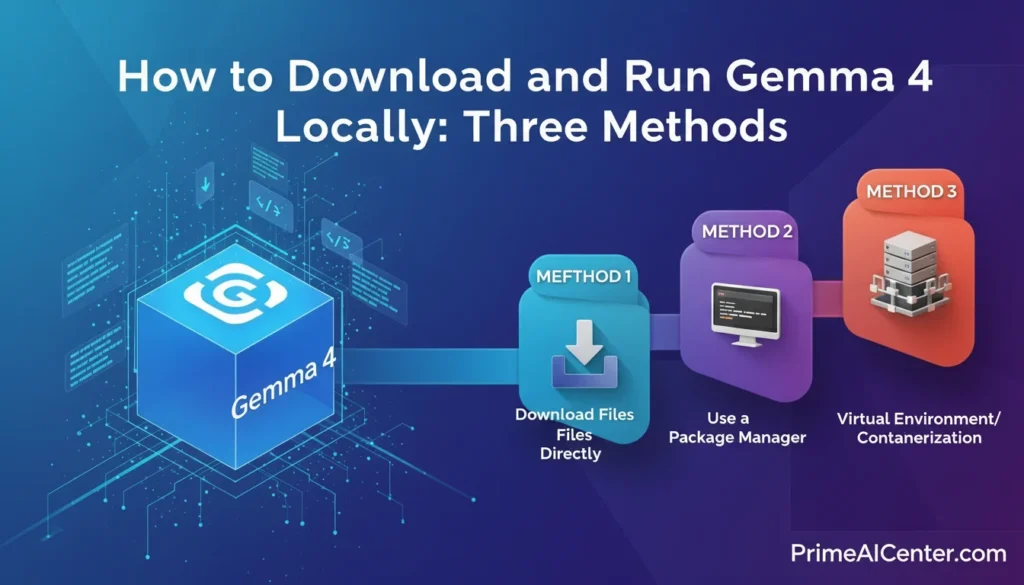
Method 1: Ollama (Easiest — Recommended for Most Users)
Ollama handles model download, management, and a local REST API endpoint automatically. It’s the fastest path from zero to a running Gemma 4 instance. According to Apidog’s Gemma 4 Ollama guide, Ollama shipped v0.20.0 with full Gemma 4 support within 24 hours of the model’s release.
Step 1: Install Ollama
Download and install from ollama.com/download for Mac, Windows, or Linux. No terminal required for installation.
Step 2: Pull and run your chosen model
# Smallest — for phones and low-RAM laptops (5GB RAM)
ollama run gemma4:e2b

# Default — best balance for most laptops (8GB+ RAM)
ollama run gemma4:e4b

# Efficient flagship — recommended for 20GB+ RAM workstations
ollama run gemma4:26b

# Maximum quality — requires 20GB+ RAM at 4-bit
ollama run gemma4:31b
That’s it. Ollama downloads the model and starts an interactive session. The first run downloads the model weights (this takes a few minutes depending on your connection). Subsequent runs start instantly.
Step 3: Use the local API
Once running, Gemma 4 is accessible via a local REST API at http://localhost:11434, compatible with the OpenAI SDK:
# Text prompt
curl http://localhost:11434/api/generate -d '{
  "model": "gemma4",
  "prompt": "Explain quantum entanglement simply",
  "stream": false
}'

# Chat conversation
curl http://localhost:11434/api/chat -d '{
  "model": "gemma4",
  "messages": [
    {"role": "user", "content": "Write a Python function to find prime numbers"}
  ]
}'

# Image input (base64 encoded)
curl http://localhost:11434/api/generate -d '{
  "model": "gemma4",
  "prompt": "Describe this image in detail",
  "images": ["<base64-encoded-image-here>"]
}'
Enable thinking mode for complex math or coding problems:
ollama run gemma4:31b
# In the prompt, add:
<|think|>
Solve this step by step: [your problem here]
Method 2: LM Studio (No Terminal — Graphical Interface)
LM Studio provides a clean desktop application with no terminal required. Download from lmstudio.ai, search for “gemma-4” in the model browser, select your size, and click Download. LM Studio also provides a local server mode, making your local Gemma 4 instance accessible to other apps.
Hardware note for LM Studio: Select the right quantization for your VRAM. For 8GB VRAM: use Q4_K_M for E4B. For 16–24GB VRAM: use Q6_K or Q8_0 for 26B-A4B. For 20GB+ RAM: Q4_K_M for 31B.
Method 3: Google’s LiteRT-LM (Official CLI — Best for Agentic Workflows)
LiteRT-LM is Google’s own CLI tool, optimized for performance and native function calling. This is what Google uses internally for Agent Skills:
pip install litert-lm
litert-lm --model gemma4-e4b-it
LiteRT-LM is particularly well-suited for Android development workflows and the multi-step agentic tasks that make Gemma 4 distinctive. It also works with Google AI Edge Gallery for testing E2B and E4B on mobile devices.
Method 4: HuggingFace Transformers (Python API)
pip install transformers torch
from transformers import pipeline

pipe = pipeline("any-to-any", model="google/gemma-4-e2b-it")
# Pass images and text
result = pipe({"text": "What's in this image?", "image": your_image})
print(result)
Full model collection on HuggingFace: google/gemma-4-release collection. Framework support at launch also covers vLLM, llama.cpp, MLX, NVIDIA NIM, SGLang, mistral.rs, and transformers.js — the broadest day-one ecosystem coverage Google has ever provided for an open release.
What’s New in Gemma 4: Key Capabilities
1. Configurable Thinking Mode (Chain-of-Thought Reasoning)
Every Gemma 4 model includes a configurable extended thinking mode — the same approach used by DeepSeek-R1 and OpenAI’s o-series. When enabled, the model generates internal chain-of-thought reasoning (up to 4,000+ tokens) before producing its final answer. This is what drives the dramatic improvement on math and reasoning benchmarks.
The key implementation detail: thinking can run to 4,000+ tokens of internal reasoning. For simple questions, you can disable thinking entirely for faster responses. For complex math, coding, or multi-step planning, enabling thinking produces significantly better results. Enable it with <|think|> in your system prompt. The τ2-bench agentic jump from 6.6% to 86.4% is almost entirely attributable to this reasoning capability combined with the trained-in function calling support.
2. True Multimodal Processing — Text, Images, Video, Audio
All Gemma 4 models process images with variable aspect ratios and resolutions. The vision encoder supports a configurable visual token budget (70, 140, 280, 560, or 1120 tokens) — use lower budgets for speed, higher budgets for detail-critical tasks like OCR.
Image capabilities include: object detection, document/PDF parsing, screen and UI understanding, chart comprehension, multilingual OCR, handwriting recognition, and visual grounding with bounding box output. The bounding box output is particularly useful for browser automation and GUI agent workflows.
Video processing works by analyzing sequences of frames (all models support this). Audio input — automatic speech recognition and speech-to-text translation — is available on E2B and E4B only. According to the HuggingFace Gemma 4 launch blog, the E4B accurately described both visual content and song lyrics from a concert video — combining sight and sound in a single pass. The MMMU Pro score of 76.9% on the 31B confirms this multimodal intelligence is competitive with much larger closed-source models.
3. Native Function Calling and Agentic Workflows
Gemma 4 supports native function calling with structured JSON output across all model sizes — and this is not a prompt engineering workaround. According to VentureBeat’s Gemma 4 coverage, the function calling capability was trained into the model from the ground up via Google’s FunctionGemma research — optimized specifically for multi-turn agentic flows involving multiple tools simultaneously. This is what separates Gemma 4’s agent performance from models that only simulate tool use through instruction-following tricks.
You define tools as JSON schemas, and the model generates structured tool calls. This works across all modalities: show the model an image and ask it to call a weather API for the location shown. According to Google DeepMind’s Gemma 4 developer blog, Agent Skills — Google’s showcase agentic application — runs multi-step autonomous workflows entirely on-device using Gemma 4, including Wikipedia knowledge augmentation, content summarization, and end-to-end app creation through conversation.
For enterprise agentic deployments, this native function calling support integrates with frameworks like LangChain, LlamaIndex, and agent frameworks via llama.cpp’s OpenAI-compatible server. For broader context on AI agent frameworks, our complete AI agent guide covers the full ecosystem. For WhatsApp-based agent deployment specifically, see our WhatsApp AI agents guide.
4. 140+ Language Support — Truly Global
Gemma 4 was pre-trained on over 140 languages, with out-of-box instruction-following in 35+ languages. This is Google’s answer to Qwen 3.5’s 201-language vocabulary advantage. While Qwen still leads on CJK scripts specifically, community testing across German, Arabic, Vietnamese, and French has shown Gemma 4 outperforming Qwen 3.5 in non-English tasks despite the smaller vocabulary — an advantage that stems from training data quality rather than vocabulary size alone. Gemma 4 holds its strongest competitive position for Arabic, French, and other non-CJK languages.
5. Native System Prompt Support
Gemma 4 introduces native support for the system role in its conversation format — a feature absent from earlier Gemma versions. This enables more structured and controllable multi-turn conversations without prompt engineering hacks. Combined with native function calling, it substantially reduces the overhead of building production agents compared to Gemma 3.
6. The Apache 2.0 License — What It Actually Means
Previous Gemma releases used Google’s custom Gemma Terms of Use — technically open weights, but legally ambiguous enough that enterprise legal teams routinely flagged it as a blocker. Gemma 4 ships under Apache 2.0, the same permissive license used by Qwen 3.5 and more permissive than Llama 4’s community license (which has a 700M monthly active user limit).
What Apache 2.0 means in practice: no monthly active user caps, no acceptable use policy compliance overhead, full freedom to build derivative models, embed in commercial products, and operate in sovereign AI environments without legal review. For enterprises building products on open models, according to VentureBeat, “the licensing clarity matters as much as the benchmark numbers.” Corporate legal teams already know Apache 2.0. There is no lengthy review cycle, no ambiguous carve-out to interpret, and no scale-triggered restriction that kicks in when a product starts growing. The shift removes the last significant barrier to Gemma adoption in enterprise production environments.
One practical note worth flagging: Google maintains a separate Gemma Terms of Use alongside the Apache 2.0 license, which includes a Prohibited Use Policy covering standard safety cases (CSAM, attacks on critical infrastructure, and similar). For the vast majority of legitimate commercial applications — building products, fine-tuning on domain data, deploying at scale — these terms create no friction. The combination of Apache 2.0 plus a straightforward prohibited use policy is now the cleanest legal foundation available in the open-weight model market.
Gemma 4 vs Llama 4 vs Qwen 3.5: Which Open Model Should You Use?
| Factor | Gemma 4 31B | Llama 4 Scout (109B-A17B) | Qwen 3.5-27B |
|---|---|---|---|
| Arena AI rank | #3 open (ELO 1452) | #1-2 open (ELO ~1460) | ~1430 |
| AIME 2026 (math) | 89.2% | ~85% | ~87% |
| LiveCodeBench v6 | 80.0% | ~75% | ~76% |
| GPQA Diamond (science) | 84.3% | 74.3% | 85.8% |
| τ2-bench Agentic | 86.4% | 85.5% | — |
| MMMU Pro (Vision) | 76.9% | — | — |
| Coding (Codeforces ELO) | 2150 | ~1900 | ~2000 |
| Context window | 256K | 10M tokens ⭐ | 256K |
| Active params | 31B (Dense) | 17B (of 109B total) | 27B (Dense) |
| License | Apache 2.0 ⭐ | Meta Community (700M MAU limit) | Apache 2.0 ⭐ |
| Audio input | E2B/E4B only | ✅ All sizes | ❌ |
| Multilingual | 140+ languages | Strong | 201 languages / 250K vocab ⭐ |
| Edge models | E2B (phone-scale) ⭐ | None (smallest is 109B) | 0.8B (smallest) |
| GPU fit (Q4) | 20GB (31B) / 5GB (E2B) | Needs 32GB+ for Scout | 18GB (27B) |
| Inference speed | Fast (Dense) | Slow (MoE routing overhead) | Fast (Dense) |
When to choose Gemma 4: You need a phone-to-server stack from a single model family, you care about Apache 2.0 licensing with zero restrictions, your use case involves strong math/coding/agentic reasoning, or you’re deploying on Android. The 26B-A4B variant specifically is the most compute-efficient frontier-quality model available as of May 2026. The τ2-bench agentic score of 86.4% means it executes multi-step tool workflows reliably — a decisive advantage for production agent deployments.
When to choose Llama 4 Scout: Your application requires processing extremely long contexts (entire codebases, book-length documents). The 10M token context is Scout’s unmatched competitive advantage — no other open model comes close. Accept that Scout requires 32GB+ and runs slower due to MoE routing overhead.
When to choose Qwen 3.5: You need maximum multilingual performance, especially for CJK scripts. Qwen’s 250K vocabulary gives it a decisive advantage on Japanese, Chinese, and Korean. Also ideal if you want the widest model family (0.8B to 397B) under Apache 2.0. Note that Qwen 3.5 edges out Gemma 4 on MMLU Pro (86.1% vs 85.2%) and GPQA Diamond (85.8% vs 84.3%) — the gap is small but real for science-heavy tasks.
Gemma 4 for Android Developers
One of Gemma 4’s most distinctive release features is its deep Android integration. The model is the foundation for the next generation of Gemini Nano — meaning code written for Gemma 4 today will automatically work on Gemini Nano 4-enabled Android devices launching later in 2026.
According to the Android Developers Blog Gemma 4 AICore announcement, Gemma 4 is available through the AICore Developer Preview today. The preview models run on specialized AI accelerators from Google, MediaTek, and Qualcomm. Gemma 4 on Android is up to 4× faster than previous versions and uses 60% less battery.
For Android Studio development, the 26B MoE is recommended for developers using machines meeting minimum hardware requirements. The setup is straightforward according to the Android Studio Gemma 4 integration announcement:
- Install the latest Android Studio
- Install LM Studio or Ollama on your local machine
- Add your provider in Settings → Tools → AI → Model Providers
- Download Gemma 4 from Ollama or LM Studio
- Select Gemma 4 as your active model in Agent Mode
Gemma 4 processes Agent Mode requests locally — your code never leaves your machine. For teams with data privacy requirements or operating in secure corporate environments, this is a meaningful advantage over cloud-based coding assistants.
Fine-Tuning Gemma 4
Gemma 4 is fully supported for fine-tuning across all major platforms. Day-one support includes:
- Unsloth Studio — Local fine-tuning on Mac, Windows, or Linux with an easy web UI. Install:
curl -fsSL https://unsloth.ai/install.sh | sh(Mac/Linux) or download from the Windows installer. - Google Colab — Free notebook-based fine-tuning with Vertex AI integration
- Vertex AI — Production-grade fine-tuning on Google Cloud infrastructure
- Cloud Run with GPU (serverless) — New deployment option for teams that need inference capacity that scales to zero. Pay only for actual compute during inference rather than maintaining always-on GPU instances — a meaningful cost change for internal tools and lower-traffic production applications.
- Hugging Face TRL — Upgraded with multimodal tool response support (models can receive images back from tools during training)
- Gaming GPU — Fine-tune the E2B or E4B on a consumer RTX card
A notable new TRL capability: Gemma 4 can now receive images back from tools during training, not just text. The Hugging Face team published a demo where Gemma 4 learns to drive in the CARLA simulator — seeing road camera images, deciding what to do, and learning from the outcome. This is the first time an open model can be trained in fully multimodal agentic loops. For broader context on agentic AI deployment and how to leverage these capabilities, our enterprise AI agent deployment guide covers the full governance framework.
Gemma 4 vs Gemma 3: What Changed?
| Capability | Gemma 3 27B | Gemma 4 31B | Improvement |
|---|---|---|---|
| AIME 2026 math | 20.8% | 89.2% | +330% |
| LiveCodeBench v6 | 29.1% | 80.0% | +175% |
| τ2-bench Agentic | 6.6% | 86.4% | +1,200% |
| GPQA Diamond | 42.4% | 84.3% | +99% |
| Codeforces ELO | 110 | 2150 | +1855% |
| BigBench Extra Hard | 19.3% | 74.4% | +285% |
| Context window | 128K | 256K | 2× |
| Audio input | ❌ | ✅ (E2B/E4B) | New |
| MoE variant | ❌ | ✅ (26B-A4B) | New |
| Native system prompt | ❌ | ✅ (all models) | New |
| Thinking mode | Limited | Configurable full | Major |
| License | Custom Google terms | Apache 2.0 | Major |
| Long-context retrieval (256K) | 13.5% | 66.4% | +390% |
| Inference speed (edge) | Baseline | 4× faster | 4× |
| Battery usage (on-device) | Baseline | 40% less | Major |
The most technically honest assessment of the architectural changes: researcher Sebastian Raschka noted that the 31B Dense model’s architecture is largely unchanged compared to Gemma 3 aside from multimodal support — the performance leap came primarily from training recipe and data improvements rather than architectural overhaul. This is not a criticism; it is a testament to how much training quality matters. The same model skeleton, trained better and with configurable reasoning, is now dramatically more capable across every benchmark that matters for real deployments.
FAQS: Gemma 4 Review
Is Gemma 4 completely free?
Yes. All four Gemma 4 model variants are free to download and use commercially under the Apache 2.0 license. There are no usage fees, no monthly active user limits, and no restrictions on building commercial products. Google does maintain a Prohibited Use Policy covering standard safety cases (CSAM, critical infrastructure attacks), but this creates no friction for legitimate commercial use.
What is the difference between Gemma 4 E2B and E4B?
Both are “effective parameter” edge models using Per-Layer Embeddings to run larger knowledge with smaller memory footprint. E2B supports audio input and runs on ~5GB RAM, scoring 37.5% on AIME 2026. E4B is larger and better at complex tasks, requiring ~8GB RAM, scoring 42.5% on AIME and 52.0% on LiveCodeBench v6, but does not support audio. E4B is the default for most developer workflows.
Can Gemma 4 run on my Mac?
Yes. E2B and E4B run on any modern MacBook with Apple Silicon. The 26B-A4B runs on M2 Pro (18GB) or M2 Max (32GB) — community testing shows it reaching 300+ tokens per second on M2 Ultra. The 31B runs on M2 Ultra (64GB+) at 4-bit quantization. Use Ollama or LM Studio — both support Metal acceleration natively.
What is the 26B-A4B MoE model and why is it special?
The 26B-A4B is a Mixture-of-Experts model with 128 small experts. During inference, only 3.8 billion parameters activate per token — meaning it runs at the speed of a 4B model while delivering quality close to the 31B Dense. It scores 79.2% on GPQA Diamond, beating OpenAI’s GPT-OSS 120B despite activating 30× fewer parameters. It is the recommended choice for Android Studio Agent Mode and the most compute-efficient option for serious production workloads.
Does Gemma 4 support function calling?
Yes, natively across all four model sizes — and this is trained-in capability, not a prompt engineering workaround. Google built function calling into Gemma 4 from the ground up via its FunctionGemma research, optimized for multi-turn agentic flows with multiple tools. Define tools as JSON schemas and the model generates structured tool calls. This is what drives the τ2-bench agentic score of 86.4%.
Is Gemma 4 good for coding?
The improvement is extraordinary across multiple coding benchmarks. LiveCodeBench v6 went from 29.1% (Gemma 3) to 80.0% (Gemma 4 31B). Codeforces ELO jumped from 110 to 2150 — expert competitive programmer level. For everyday development assistance, E4B (52.0% LiveCodeBench v6) is excellent. For complex architecture and agentic coding pipelines, the 26B or 31B is recommended.
Can Gemma 4 process PDFs and documents?
Yes. All Gemma 4 models support document parsing, PDF understanding, chart comprehension, and multilingual OCR (76.9% MMMU Pro on the 31B). For best OCR quality, use a high visual token budget (560 or 1120) and place the image before the text in your prompt. The 256K context window on the 26B/31B models lets you pass entire document repositories in a single prompt, with multi-needle retrieval accuracy of 66.4% — up from 13.5% in Gemma 3.
How does Gemma 4 compare to DeepSeek V4 for local use?
DeepSeek V4 has more total parameters (1 trillion) but scores significantly lower on key benchmarks: AIME 2026 at 42.5% vs Gemma 4 31B’s 89.2%, LiveCodeBench v6 at 52.0% vs 80.0%, and τ2-bench agentic at 57.5% vs 86.4%. Gemma 4’s 31B achieves superior performance at a fraction of the hardware cost, and the Apache 2.0 license applies without restriction.
Where can I try Gemma 4 without downloading anything?
Google AI Studio (aistudio.google.com) hosts the 31B and 26B models for free. Google AI Edge Gallery (iOS and Android) runs E2B and E4B on-device. Both are available immediately with no setup required.
Final Verdict: Should You Use Gemma 4?
Gemma 4 is the most significant open-weight model release since DeepSeek V4. The combination of Apache 2.0 licensing, genuine frontier performance on math, coding, and agentic benchmarks, a four-variant family spanning phones to workstations, native multimodal capabilities, trained-in function calling, and day-zero support across every major inference framework makes this a model that belongs in every AI developer’s toolkit.
The 26B-A4B MoE variant deserves special attention as the single most compelling model in the May 2026 open-weight landscape for production deployment: 97% of the 31B’s quality, 3.8B active parameters per inference, 79.2% GPQA Diamond (beating GPT-OSS 120B), 256K context, Apache 2.0, running on a 24GB consumer GPU at 300+ tokens per second on Mac. There is currently no better combination of quality, efficiency, and licensing available in open-weight AI.
The limitations are real: Gemma 4’s largest model is 31B — significantly smaller than Llama 4 Maverick (400B), GLM-5 (744B), or Kimi K2.5 for raw parameter scale. For tasks requiring 10M+ token contexts, Llama 4 Scout is the only option. For maximum CJK language performance, Qwen 3.5 still leads on MMLU Pro and GPQA Diamond by a small margin. But for the overwhelming majority of use cases — coding, reasoning, document analysis, agentic workflows, on-device deployment — Gemma 4 is the new benchmark for open-weight AI.
For the broader AI tools landscape that Gemma 4 integrates with, our best AI tools of 2026 covers the full ecosystem. For developers building AI-powered applications, our best AI coding assistants guide covers how Gemma 4 compares against hosted alternatives. And for content creators and marketers exploring how to use models like Gemma 4 for revenue generation, our guide to making money with AI covers the full opportunity landscape.
Sources: Google DeepMind official blog, Google Developers blog, Android Developers blog, Google AI model card (updated April 17, 2026), HuggingFace Gemma 4 launch, HuggingFace model cards, Unsloth documentation, Ollama library, VentureBeat, WaveSpeed AI, Lushbinary, AI.rs, Apidog, MindStudio, Tech Insider, Labellerr, Moksh S / Medium, NVIDIA blog, NVIDIA technical blog, Constellation Research, Android Studio integration, Latent Space AI News, GetDeploying. Updated May 1, 2026.