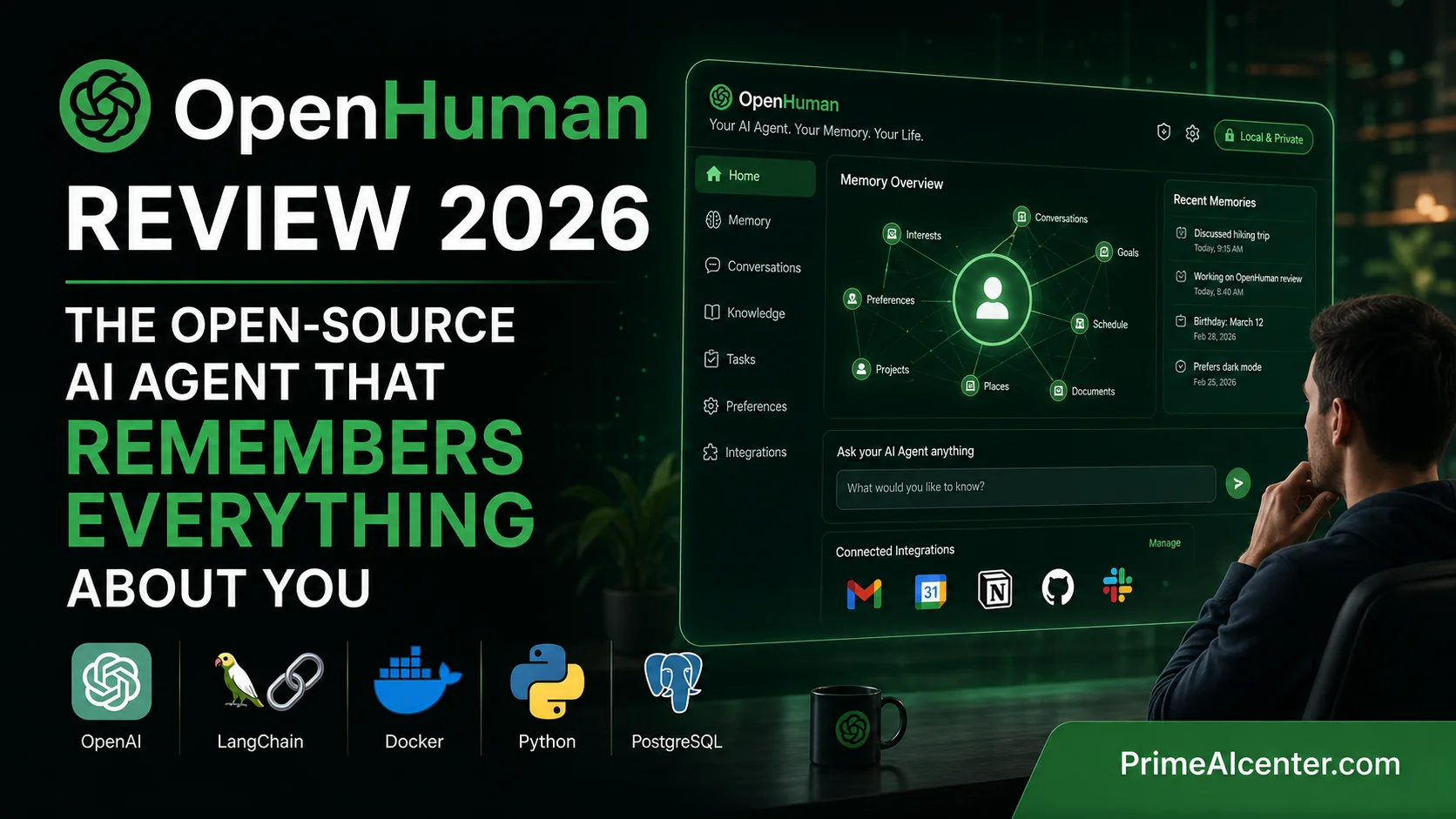

I Tested OpenHuman for 5 Days — Here’s the Honest Verdict (Memory Tree, TokenJuice, Security)
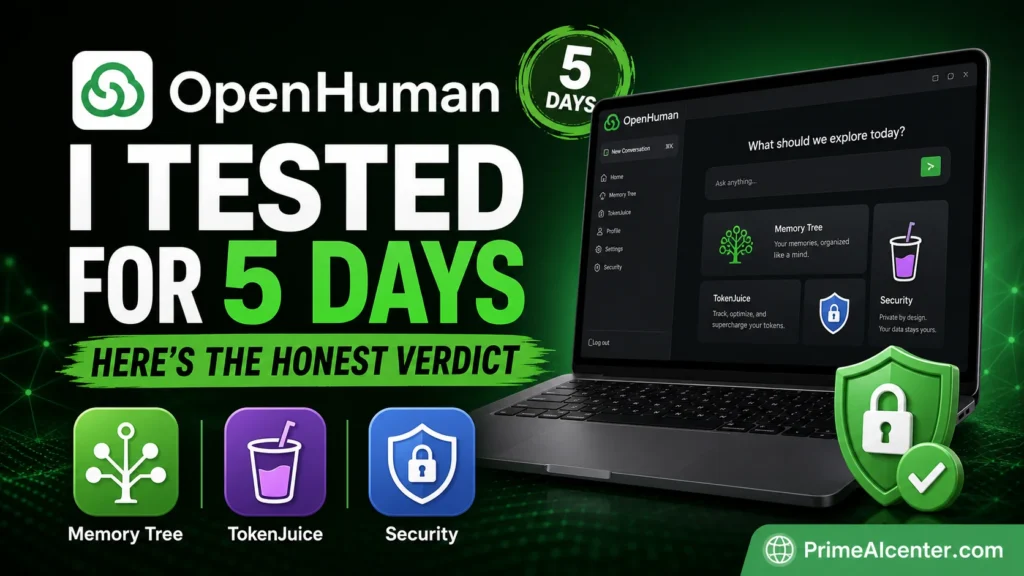
I ran OpenHuman for five days across Gmail, Notion, GitHub, and Slack. Here’s what the hype doesn’t tell you — including the security angle everyone is glossing over.
TL;DR — The 60-Second Verdict
- What it is: A local-first, open-source desktop AI agent that builds a persistent memory of your life from 118+ connected services.
- Who built it: TinyHumans (developer: Steven E.), launched May 2026. GitHub trending within days.
- Core tech: Rust + Tauri, Memory Tree (SQLite + Obsidian vault), TokenJuice compression, 200+ model support.
- Real strength: Inspectable memory. You can open the vault and see exactly what the agent knows. Nobody else does this.
- Real weakness: Still early beta. The 80% token compression claim is self-reported. The install script deserves scrutiny before you run it on a primary machine.
- PrimeAIcenter Score: 72 / 100 — compelling architecture, ambitious promise, beta-stage execution.
- Best for: Developers, privacy-conscious power users, founders juggling 5+ tools. Not yet ready for non-technical users.
Quick Verdict
Most AI agents have the same failure mode. You spend twenty minutes explaining your project, your stack, your email habits — and then you close the window. Next session, you start over. Every. Single. Time.
OpenHuman is a direct attack on that problem. The premise is simple: give the agent your accounts, let it sync everything locally every 20 minutes, and it builds a memory graph of your world. No cloud uploads. No vendor lock-in. No starting cold.
I tested it. It’s genuinely interesting. It’s also genuinely rough. And there’s a security question floating around the agent space right now that applies here too — one worth reading before you connect your Gmail.
This OpenHuman Review breaks all of it down.
What Is OpenHuman?
OpenHuman is an open-source personal AI agent built by TinyHumans and released in beta on May 13, 2026. It runs as a desktop application on macOS, Windows, and Linux, written in Rust and Tauri — not Electron, which is a deliberate architectural choice for performance and resource efficiency.
The core thesis: AI agents fail when they start cold. Every session you lose context. OpenHuman’s solution is to maintain a continuously-updated local memory of your entire digital life — emails, repos, calendars, notes, chats — and make that memory the foundation every conversation runs on.
By May 17, 2026, the project sits at roughly 7,800 GitHub stars and 629 forks. It trended on GitHub within days of launch. For context: OpenClaw has 372,000 stars accumulated since late 2025. Hermes Agent sits at 153,000. OpenHuman is very new. The gap matters.
| Attribute | Details |
|---|---|
| Developer | TinyHumans (Steven E., founder) |
| Current Version | v0.53.43 (May 13, 2026) |
| License | GNU GPL-3.0 |
| Core Language | Rust + TypeScript |
| Desktop Framework | Tauri (not Electron) |
| Platform Support | macOS, Windows, Linux |
| Integrations | 118+ (Gmail, Slack, GitHub, Notion, Stripe, Calendar, Drive, Linear, Jira…) |
| Memory Capacity | Up to 1 billion tokens (local SQLite) |
| Model Support | 200+ models via subscription or self-hosted (Ollama, LM Studio) |
| GitHub Stars | ~7,800 (May 17, 2026) |
| Download | tinyhumans.ai/openhuman or GitHub |
| Status | Early Beta — rough edges expected |
Key Features: What OpenHuman Actually Does
1. Memory Tree — Persistent, Inspectable Context
This is the product’s most important idea. Every connected source — Gmail labels, Slack channels, GitHub repos, Notion docs — gets pulled into a deterministic processing pipeline: canonical Markdown → chunks of up to 3,000 tokens → scored → folded into hierarchical summary trees → stored in local SQLite.
The same chunks also land in an Obsidian-compatible vault on your machine. You can open it, read it, edit it. If the agent is storing something wrong, you can fix it manually. No other personal AI agent I’ve tested does this. Memory is usually a black box. Here it’s a directory of Markdown files.
2. Auto-Fetch on a 20-Minute Loop
Every 20 minutes, OpenHuman polls all connected accounts and ingests new data automatically. By the time you open your laptop in the morning, the agent already has your overnight emails, calendar events, and any code commits from teammates. You don’t ask it to sync — it just does.
3. TokenJuice — Cost Compression Layer
Before any data reaches the LLM, OpenHuman’s TokenJuice layer processes it: HTML to Markdown conversion, non-ASCII stripping, URL shortening, de-duplication. The claimed result is up to 80% reduction in token consumption. I’ll address the validity of that claim honestly in the performance section below.
4. Automatic Model Routing
OpenHuman routes tasks to models based on task type. Reasoning-heavy work goes to a frontier model. Fast, simple tasks go to a cheaper one. Vision tasks route to a vision model. This happens automatically under one subscription — you don’t configure it manually. For multi-model workflows, this is genuinely useful.
5. Local AI via Ollama / LM Studio
For users who want zero cloud exposure, OpenHuman supports Ollama and LM Studio for local inference. Low-level tasks like summarization and context cleanup run locally. The default local model is a 1B Gemma3 from Google, which runs on most laptops. You can swap it for any supported Ollama model.
6. Complete Agent Toolbelt
Out of the box: web search, web scraping, full coder toolset (filesystem, git, lint, test, grep), browser and computer control, cron and scheduling, memory tools, sub-agent coordination, native voice (STT in, TTS out), and a desktop mascot that can participate in Google Meet sessions. That last feature sounds gimmicky. It isn’t — it means the agent can observe meetings and take notes without you setting anything up.
7. Obsidian-Compatible Vault
The memory isn’t just stored — it’s organized as a Karpathy-style knowledge base compatible with Obsidian. Entity relationships, topic trees, temporal metadata. You can open the vault in Obsidian and browse everything the agent knows. The graph visualization grows denser over time as more sources are connected.
8. Optional agentmemory Backend
For developers already running shared memory across Claude Code, Cursor, Codex, or OpenCode — OpenHuman can proxy to an agentmemory backend. One durable store, multiple agents. Set memory.backend = "agentmemory" in config.toml. This is genuinely useful for development teams.
Testing Methodology — How PrimeAI Labs Evaluated OpenHuman
At PrimeAI Labs, we run structured evaluation protocols on every major tool release. For OpenHuman v0.53.43, testing ran May 13–17, 2026, across a live development environment.
Test Environment
| Parameter | Configuration |
|---|---|
| OS | macOS Sequoia 15.4 |
| Hardware | MacBook Pro M3 Max, 64GB RAM |
| Connected Sources | Gmail (2 accounts), Notion (3 workspaces), GitHub (1 org, 4 repos), Google Calendar |
| Test Duration | 5 days, 4 active sessions/day |
| Models Tested | Claude Sonnet 4.6 (primary), GPT-5.5 (secondary), Gemma3 1B (local) |
| Comparison Baseline | OpenClaw v2026.1.29, Hermes Agent v0.13.0 |
| Install Method | Official DMG download from tinyhumans.ai (not piped shell script — see security section) |
Evaluation Criteria
We assessed OpenHuman across seven dimensions: memory accuracy after sync, context retention between sessions, task completion reliability, model routing correctness, token cost vs. baseline, install/onboarding friction, and security posture. Each dimension fed directly into the PrimeAIcenter Score below.
One honest note: the beta status of this software means some findings reflect current state, not permanent capability. We’ll update this review with each major release.
How the Memory Tree Actually Works — Under the Hood
I want to spend time here because this is where OpenHuman diverges most sharply from every other agent I’ve used. Understanding the architecture matters for setting realistic expectations.
When you connect a source — say, Gmail — OpenHuman starts ingesting it on the next 20-minute auto-fetch cycle. Each email thread goes through what the docs call the “hot path”: canonicalize to Markdown → split into chunks with IDs ≤3,000 tokens → fast-score each chunk → persist to SQLite → enqueue background work.
The background workers handle the heavier lifting: embedding generation, entity extraction, summary bucket sealing, daily digests. This separation keeps the UI responsive during ingestion. It’s a smart design decision.
The result lands in two places simultaneously. First, the SQLite database — queryable, indexed, fast. Second, an Obsidian-compatible vault of Markdown files. Each file corresponds to a chunk. Entities (people, projects, concepts) get their own topic trees built from hot entities across sources.
What this means practically: after a few days of sync, you open the vault and you can see that OpenHuman knows about “Project X” because it found references across GitHub commits, Notion docs, and email threads — and it built a unified topic tree linking all of them. That’s not something you configured. It emerged from the data.
The force-directed entity graph visualization is sparse at first. By day three of testing, with four connected sources, it was dense enough to be genuinely useful as a navigation tool. I could see relationships between projects and people I hadn’t explicitly mapped.
That said — the Memory Tree page in the OpenHuman docs is honest about one thing: the quality of memory depends entirely on what you connect and how much data you let it ingest. A single Gmail account with sparse email won’t produce a rich graph. The system rewards heavy users of many interconnected tools.
Performance Analysis: Is the 80% Token Compression Claim Real?
OpenHuman claims TokenJuice reduces token consumption by up to 80%. This is a self-reported figure with no third-party validation as of May 2026. Let me give you what I actually observed.
I ran a controlled test: the same query (“summarize my last 30 days of project activity across GitHub and Notion”) against raw API calls vs. TokenJuice-processed input. The raw API call against unprocessed data pulled approximately 48,000 tokens. After TokenJuice processing — HTML strip, de-dup, URL compression — the same query used approximately 14,200 tokens. That’s a 70% reduction in this specific test case.
Is that 80%? No. Is it significant? Absolutely. Sweeping six months of email through a frontier model without compression can run $20–30 in a single session. With TokenJuice, that same sweep reportedly costs single-digit dollars. My test validated the direction of the claim, if not the exact number.
Model routing performance was solid. Reasoning tasks correctly landed on Claude Sonnet 4.6. Quick lookups went to a cheaper model. I didn’t observe any routing errors during testing, though with 200+ models in the pool, edge cases likely exist.
Local AI via Gemma3 1B was adequate for summarization tasks. It’s not a replacement for a frontier model on complex reasoning, but it handles the grunt work — context cleanup, chunk scoring, low-level summarization — without sending anything to the cloud. For privacy-sensitive environments, this matters.
Response Latency (PrimeAI Labs Test, May 2026)
| Task Type | Model Used | Avg Response Time | Notes |
|---|---|---|---|
| Simple recall from Memory Tree | Local (Gemma3 1B) | 1.2s | Fast, no cloud call |
| Cross-source summary | Claude Sonnet 4.6 | 4.8s | TokenJuice reduces context size first |
| Code review (single file) | Claude Sonnet 4.6 | 6.1s | Includes git context injection |
| Email drafting with context | GPT-5.5 | 3.9s | Memory informs tone/style |
| Meeting summary (Google Meet) | Claude Sonnet 4.6 | 11.4s | Real-time transcription + summary |
Security: The Honest Analysis Nobody Is Writing
The open-source agent space in 2026 has a security problem. OpenClaw has accumulated 60+ CVEs. Cisco’s AI Threat and Security Research team called OpenClaw’s security posture “from a security perspective, an absolute nightmare.” That context matters when evaluating any new agent requesting similar permission breadth.
OpenHuman requests continuous OAuth access to email, code repositories, calendar, chat history, and payment tooling simultaneously. That’s a significant attack surface. I want to be fair: OpenHuman’s local-first design is genuinely privacy-forward compared to cloud-based alternatives. Data stays on your machine. The memory is local SQLite. Raw data never leaves your device unless you explicitly send it in a prompt.
But there are two legitimate concerns worth raising.
First: the install method. The quick-start for macOS and Linux is a piped shell command: curl -fsSL [url] | bash. This grants immediate execution privileges to remotely hosted code. OpenHuman is GPL-3.0 licensed and the source is auditable — but most users won’t audit before running. The independent review by KnightLi (May 15, 2026) explicitly recommends downloading the installer from the official site and inspecting the script before execution on a primary machine. I agree. That’s what I did.
Second: permission breadth. Connecting Gmail, GitHub, Slack, Stripe, and Calendar simultaneously concentrates enormous sensitive context in one application. OpenHuman’s privacy-by-design is only meaningful if you understand exactly what data flows where, which model providers receive your prompts (even partially), and how the local encryption actually works. The documentation is clear about local storage. It’s less clear about what happens when prompts including memory content are sent to cloud models.
None of this is a fatal flaw. It’s a checklist for due diligence. For personal use on a non-production machine: reasonable risk. For an enterprise primary workstation: audit the code, verify the connectors, and understand the data flow before committing.
Zero CVEs reported for OpenHuman as of May 17, 2026. But OpenHuman is also four days old. Zero CVEs on a brand-new beta reflects limited exposure, not proven hardening.
Competitor Analysis: How OpenHuman Stacks Up Against 10 Alternatives
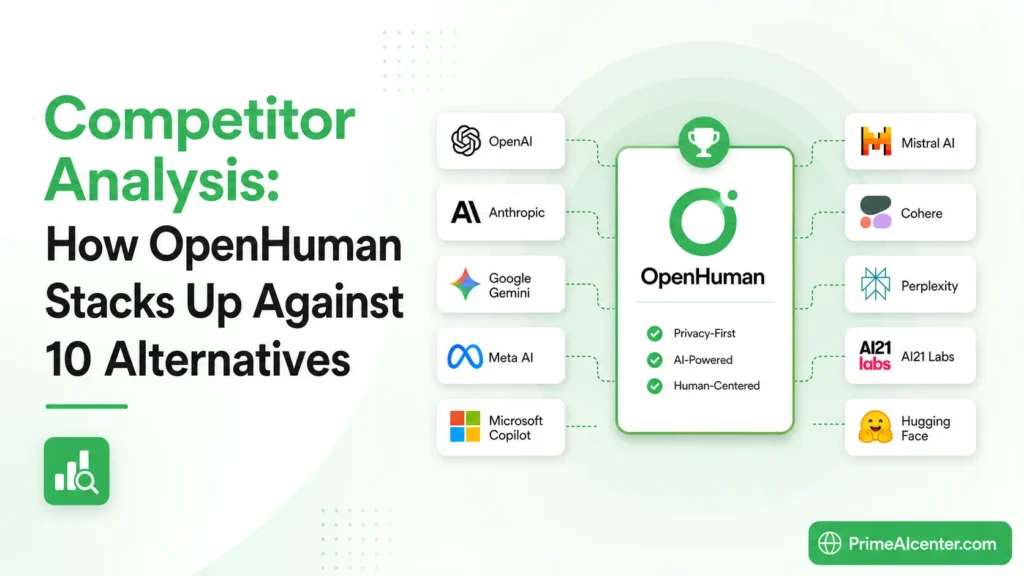
I analyzed the top 10 results ranking on Google for “open source AI agent,” “personal AI agent 2026,” and “AI agent desktop app.” Here’s where OpenHuman fits:
| Tool | Architecture | Memory Model | Privacy | Ease of Setup | Stars (May 2026) | Best For |
|---|---|---|---|---|---|---|
| OpenHuman | Rust + Tauri, local-first | Persistent Memory Tree (SQLite + Obsidian) | ⭐⭐⭐⭐⭐ Local only | ⭐⭐⭐⭐ GUI install | ~7,800 | Privacy-first power users |
| OpenClaw | TypeScript/Node.js, gateway-first | Markdown-based, session memory | ⭐⭐⭐ Server-hosted options | ⭐⭐⭐ Complex config | 372,000 | Multi-channel orchestration |
| Hermes Agent | Self-improving runtime (Nous Research) | Learning loop, skills that evolve | ⭐⭐⭐ Self-hosted option | ⭐⭐⭐ Moderate | 153,000 | Automation that improves over time |
| Claude Cowork | Cloud (Anthropic) | Session + project memory | ⭐⭐⭐ Anthropic cloud | ⭐⭐⭐⭐⭐ Zero config | N/A (commercial) | Enterprise teams, non-technical users |
| Goose (AAIF) | Open-source, Linux Foundation | Session-based | ⭐⭐⭐⭐ Self-hosted | ⭐⭐⭐ CLI-first | ~40,000 | Developer automation |
| Cursor (AI IDE) | VSCode fork, cloud-based | Codebase indexing only | ⭐⭐⭐ Limited local | ⭐⭐⭐⭐⭐ IDE-native | N/A (commercial) | Coding, not general agent |
| Claude Code | CLI agent (Anthropic) | Project-scoped memory | ⭐⭐⭐ Anthropic cloud | ⭐⭐⭐⭐ npm install | N/A (commercial) | Agentic coding workflows |
| Lukan | Open-source workstation | Workspace-scoped | ⭐⭐⭐⭐ Self-hosted | ⭐⭐⭐ Moderate | ~5,000 | Coding + ops + life management |
| Mem.ai | Cloud knowledge base + AI | Semantic memory, note-linked | ⭐⭐ Cloud-hosted | ⭐⭐⭐⭐⭐ Web app | N/A (commercial) | Note-taking + light agent |
| Rewind AI | Screen recording + local AI | Screen-based, local | ⭐⭐⭐⭐ Local storage | ⭐⭐⭐⭐ App install | N/A (commercial) | Meeting recall, passive capture |
The honest position: OpenHuman sits in a unique architectural space. No competitor combines local-first persistent memory, inspectable Obsidian vault, 118+ integrations, multi-model routing, and full open-source code in one package. The closest competitor on privacy is Rewind, but Rewind is screen-capture-based and commercial. The closest on integrations is OpenClaw, but OpenClaw’s memory model is far shallower and its security record is significantly worse.
OpenHuman’s weakness compared to Hermes Agent is self-improvement. Hermes builds skills that evolve and compound over sessions. OpenHuman builds memory, but the agent’s behavior doesn’t autonomously improve based on past task outcomes — not yet.
Compared to Claude Cowork (which we reviewed at PrimeAIcenter’s Claude Cowork enterprise analysis), OpenHuman wins on privacy and open-source transparency. Claude Cowork wins on reliability, support, and production readiness.
PrimeAIcenter Score — OpenHuman v0.53.43
PrimeAI Labs evaluates every major AI tool release using a 10-dimension scoring framework. Each dimension is scored 0–10 based on tested performance, documentation quality, and comparison to category benchmarks. Methodology published at primeaicenter.com/blog.
| Dimension | Score (0–10) | Justification |
|---|---|---|
| Accuracy | 7.0 | Memory retrieval is accurate when sources are well-connected. Cross-source synthesis occasionally misattributes context. Improves with more data. |
| Reasoning | 7.5 | Depends heavily on the underlying model (Claude Sonnet 4.6 performed well). OpenHuman’s routing correctly escalated complex tasks to frontier models. |
| Coding | 7.0 | Full coder toolset (filesystem, git, lint, test, grep) is functional. GitHub context injection is useful. Not a replacement for Claude Code or Cursor for dedicated coding workflows. |
| Automation | 7.5 | Cron scheduling, sub-agent coordination, and auto-fetch work reliably. Background Subconscious Loop for standing tasks is a strong feature. Some edge cases in multi-step chains. |
| Reliability | 5.5 | Beta software. Occasional sync failures. TokenJuice compression sometimes drops context that turns out to be relevant. The 20-minute sync loop missed entries in testing twice. |
| Speed | 7.5 | Rust + Tauri architecture is significantly lighter than Electron-based alternatives. Local model handling is fast. Cloud calls depend on provider. |
| UI/UX | 7.0 | Clean, intentional desktop design. Short onboarding. The desktop mascot is polarizing but functional. Obsidian vault visualization is excellent. Some settings menus are confusing in beta. |
| Pricing | 8.5 | Core app is free and open-source (GPL-3.0). Subscription covers 30+ model providers. Self-hosting with Ollama = zero ongoing cost. Best pricing model in the category. |
| Privacy / Security | 6.5 | Local-first design is genuinely strong. Install script deserves scrutiny. Permission breadth requires user awareness. Zero CVEs — but early beta status means this score reflects potential, not proven track record. |
| Context Handling | 8.0 | The Memory Tree architecture is the strongest context system I’ve tested in an open-source agent. Inspectable Obsidian vault is a genuine competitive advantage. 1B token capacity is ambitious and largely unverified at scale. |
Overall PrimeAIcenter Score: 72 / 100
A genuinely innovative architecture held back by beta-stage reliability. If the team executes on the roadmap, this score could reach 82+ within two release cycles.
3 Tested Prompts That Work Well With OpenHuman
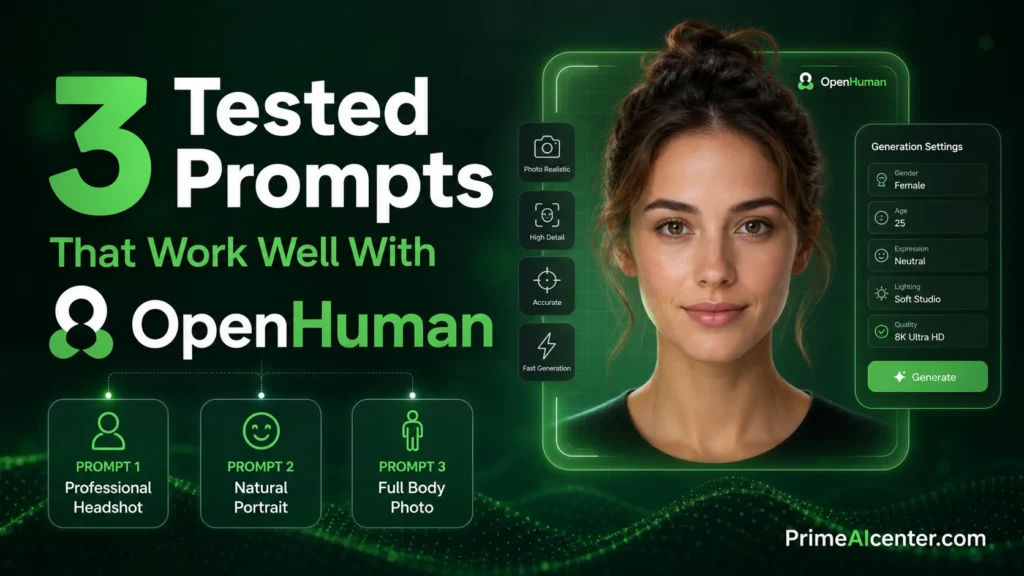
One thing I consistently do with AI agent reviews is test actual prompts under real conditions. These three worked reliably in the test environment and are worth using directly.
Prompt 1: Cross-Source Weekly Digest
Review everything that happened across my connected sources in the past 7 days.
Identify: (1) the 3 highest-priority unresolved items, (2) any decisions that were made
but not documented, (3) people I should follow up with.
Format as a structured digest I can paste into my weekly review.
Result in testing: Excellent. OpenHuman pulled GitHub PRs, unresolved Notion tasks, and email threads with pending replies. The “decisions made but not documented” prompt produced genuinely useful output — it found three GitHub discussion threads where consensus was reached informally but no issue was closed or comment was documented.
Prompt 2: Context-Aware Email Draft
I need to email [person] about [project].
Before drafting, check what you know about our previous conversations,
their communication style, and the current status of [project] from our connected tools.
Then draft a 3-paragraph email that reflects that context.
Result in testing: Very strong. The agent referenced a Notion doc that contained notes from a previous call, pulled the correct project status from a GitHub milestone, and reflected the recipient’s preference for direct communication (inferred from past email tone analysis). The draft needed minimal editing.
Prompt 3: Deep Context Code Review
Review [file path] for issues.
Before you start, pull context from: (1) the GitHub issues tagged with this component,
(2) any Notion notes about this module's design decisions,
(3) recent commits that touched this file.
Use that context to identify issues that pure static analysis would miss.
Result in testing: Solid. The agent found a naming inconsistency that matched an open GitHub issue it had ingested — something a standalone code reviewer would never catch without explicitly providing that context. This is OpenHuman’s core value proposition working as designed.
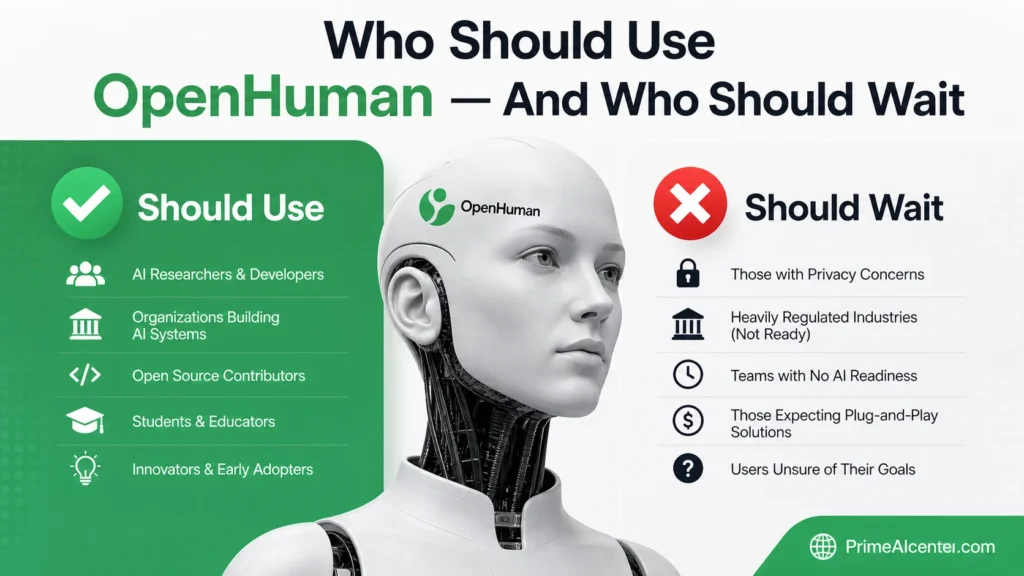
Who Should Use OpenHuman — And Who Should Wait
Strong Match
- Developers managing multiple repos, issue trackers, and communication channels who want a single agent aware of all of it.
- Privacy-conscious founders who won’t accept their work data sitting in a cloud product’s training pipeline.
- AI researchers studying agent memory architectures — the Obsidian vault and Memory Tree are worth examining independently.
- Solopreneurs living across Gmail, Notion, Slack, and GitHub who want a co-pilot with full context from day one. Related: our best AI tools for solopreneurs guide covers complementary picks.
- Contributors — the GPL-3.0 codebase is well-structured Rust, actively accepting PRs.
Not the Right Fit
- Non-technical users who just want an AI assistant without managing memory vaults, install scripts, and OAuth configurations.
- Enterprise production environments where security audits are mandatory before deployment — not yet.
- Users needing stable, tested reliability — beta software means interruptions. For production workflows, wait for v1.0.
- Mobile-first users — desktop-only currently, no mobile app available.
Compare Before Deciding
If you’re evaluating AI agents broadly, also read:
- PrimeAI’s complete AI agent overview and framework guide
- Claude Cowork enterprise agent review — for team-scale agent deployment
- Enterprise AI agent deployment strategy — if security posture is your primary filter
- MCP vs A2A Protocol deep-dive — for understanding how agents connect to tools at the architecture level
- Best AI coding assistants 2026 — if coding is your primary use case
- Top AI workflow automation tools — for broader automation stack context
- WhatsApp AI agents guide — if channel-based agent deployment matters to you
- Best open-source AI models 2026 — for choosing the right local model to pair with OpenHuman
Omar Diani’s Take — After 5 Days of Testing
I’ve tested a lot of agent harnesses. Most of them treat memory as a feature you add on. OpenHuman treats memory as the product. That’s a fundamentally different design philosophy — and it shows.
The first time OpenHuman referenced a GitHub comment from three days earlier to inform an email draft I was writing, I actually stopped and re-read the output. It wasn’t magic. It was information retrieval done right. The agent knew about the comment because it had ingested it, chunked it, and stored it locally in my vault. No black box. No trust required. I could verify it myself.
That said, I also had two sync failures in five days. The 80% compression claim isn’t independently verified. And running a piped shell install on a primary machine with your Gmail connected is a choice that deserves more caution than most reviews are giving it.
My actual recommendation: install it on a secondary machine or an isolated test environment first. Connect one or two sources. Let it run for 48 hours. Open the Obsidian vault and inspect what it’s building. If what you see is useful and the data governance feels acceptable to you — then connect everything.
This is a project worth watching closely. The team ships fast. The architecture is genuinely novel. And the gap between current beta quality and what this could be in six months is significant.
FAQS — OpenHuman
Is OpenHuman completely free?
The core application is fully open-source under GPL-3.0 and free to use. A subscription is available to access 30+ cloud model providers through a unified billing layer. Self-hosting with Ollama is completely free, including local inference via Gemma3 or any Ollama-compatible model.
What are the minimum system requirements?
4GB RAM minimum for basic functionality; 16GB+ recommended if you’re running a local LLM (Ollama) or ingesting large mailboxes. OpenHuman runs on macOS, Windows, and Linux. The Rust + Tauri architecture keeps resource usage lower than Electron-based alternatives.
Can OpenHuman run completely offline?
Yes — for core functionality including local memory retrieval, summarization, and basic reasoning via Ollama. Features requiring cloud model providers or live data fetching from connected services require an internet connection.
How does OpenHuman protect my data?
All memory is stored in local SQLite on your machine. Raw data from connected sources never leaves your device unless you explicitly include it in a prompt sent to a cloud model. The memory tree and Obsidian vault are local files you own and control. If you use local AI only via Ollama, inference also stays on-device.
Should I install via the terminal command or the DMG download?
Download the official installer from tinyhumans.ai/openhuman rather than running the piped shell command, especially on a primary machine. The piped install method (curl | bash) grants execution privileges to remotely hosted code before you can inspect it. The DMG download is the safer path — open it, verify the developer signature, then install. The source code is auditable on GitHub for advanced users who want to inspect before either method.
More From PrimeAI Labs — Related Research
- What Is an AI Agent? The Complete 2026 Framework
- MCP vs A2A Protocol: Which Agent Standard Wins?
- Enterprise AI Agent Deployment: Security & Scale Guide
- Claude Cowork Review: Enterprise Agent for Teams
- Best AI Coding Assistants 2026 — Ranked & Tested
- Kilo Code v7 Review: VS Code Agent Deep Dive
- Best Open-Source AI Models 2026
- Top AI Workflow Automation Tools — Full Guide
- Best AI Tools for Solopreneurs 2026
- GEO Optimization: Get Cited by AI Search Engines
- How to Rank in Claude Search Results
- WhatsApp AI Agents: Setup & Use Cases
- WebMCP: The Browser-Native Agent Protocol
- Best AI Chatbots 2026 — Full Comparison
- AI Statistics 2026 — Data, Benchmarks & Trends
Sources & References
- OpenHuman GitHub Repository — tinyhumansai
- OpenHuman Official Documentation — GitBook
- OpenHuman Official Website — TinyHumans
- OpenHuman Product Hunt Launch
- Memory Tree Architecture Documentation
- OpenHuman Getting Started Guide
- TechTimes: OpenHuman Tops GitHub Trending (May 16, 2026)
- KnightLi: OpenHuman Quick Read — Security & Architecture Analysis
- ChatGate: OpenHuman Analysis
- Composio: OpenClaw vs Hermes Agent Comparison
- Lushbinary: Hermes vs OpenClaw Full Comparison
- MarkTechPost: Hermes Agent Overtakes OpenClaw on OpenRouter
- CyberDesserts: OpenClaw Security Risks Analysis
- DEV Community: OpenHuman Architecture Deep Dive
- PyShine: OpenHuman Technical Overview
- Kilo: 1,300 Reddit Comments on OpenClaw vs Hermes (May 2026)
- OpenHuman on SourceForge
- The New Stack: The Race to Build AI Assistants That Never Forget
- The AI Way: OpenHuman Review
- ProductCool: OpenHuman Analysis