
Google Vids Review: Complete Guide — Free AI Video Generation, Veo 3.1, Lyria 3, AI Avatars & Everything You Need to Know
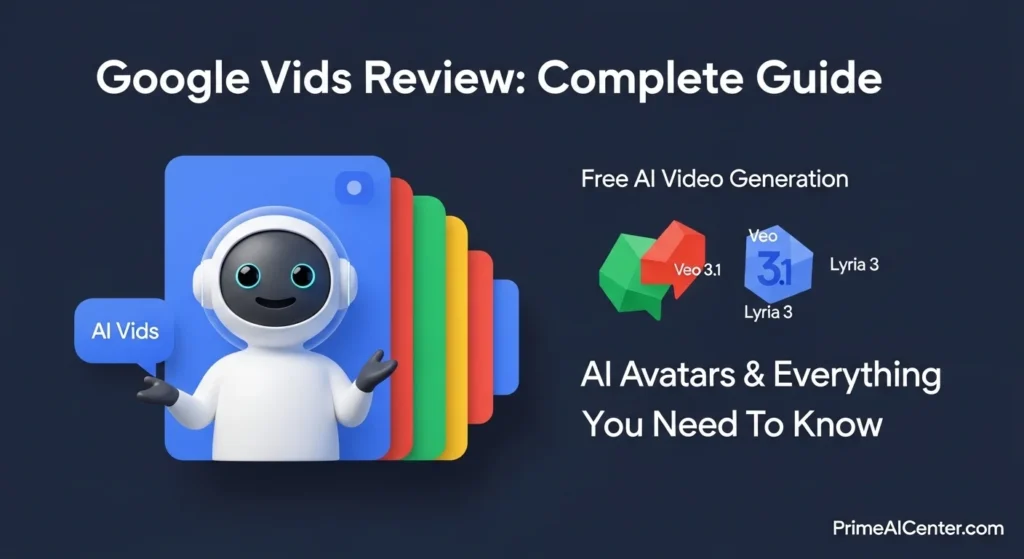
On April 2, 2026, Google changed the AI video landscape permanently. Anyone with a Google account — free, no credit card, no subscription — can now generate high-quality AI video clips using Veo 3.1, Google’s most advanced video model. The same update added AI-generated music via Lyria 3, fully directable AI avatars, a Chrome screen recorder extension, and one-click YouTube publishing. All inside a single tool. All accessible at vids.new.
This is not a minor feature update. This is Google embedding a complete AI video production studio into its existing ecosystem of 3+ billion Google Workspace users — and making the entry point completely free. Synthesia’s most recent valuation hit $4 billion. HeyGen charges $24/month minimum. And Google just gave away the foundation of what both companies charge for.
This guide covers everything: what Google Vids is, what the April 2, 2026 update actually includes, pricing breakdown across every tier, step-by-step setup, honest limitations, and a direct comparison with every major competitor. Whether you’ve never used Google Vids or you want to understand if the new features justify an upgrade, this is the only guide you need.
⚡ What Is Google Vids? The 60-Second Answer
Google Vids is Google’s AI-powered video creation tool, built directly into Google Workspace. Think of it as “Google Docs for video” — you describe what you want, and an AI assistant generates a storyboard, writes a script, selects visuals, adds voiceover, and now generates entire video clips from text or photos.
It was first announced in 2024 as an enterprise productivity tool. Through 2025, Google steadily expanded its capabilities — adding AI avatars, improved Veo video generation, and consumer access. The April 2, 2026 update is the biggest leap yet: free AI video for everyone, plus three entirely new capabilities powered by Veo 3.1 and Lyria 3.
The core difference from tools like Synthesia or HeyGen: Google Vids is not a standalone video platform. It is a video creation layer that lives inside your existing Google workflow — connecting to Drive, Docs, Slides, and YouTube natively. That integration is both its greatest strength and the key to understanding who it’s for.
🔗 Access Google Vids: vids.new (type it directly in your browser) or vids.google.com
🔥 The April 2, 2026 Update: Every New Feature Explained
This is the update that changes everything. Here is what Google launched on April 2, 2026 — directly from Google’s official Keyword blog — with an honest assessment of each feature.
1. Free AI Video Generation (Veo 3.1) — Available to ALL Google Accounts
This is the headline. Any person with a standard Google account — not Workspace, not paid, just a regular Gmail — can now generate video clips using Veo 3.1, Google DeepMind’s flagship video model.
- 10 free generations per month — permanent, resets monthly, no credit card
- 8 seconds per clip — from text prompt or uploaded photo
- Resolution: 720p (HD)
- SynthID watermarks: embedded in all AI-generated content to indicate AI origin
- Also works: image-to-video — upload a product photo and describe the motion
What this means in practice: you can generate an animated neighborhood party flyer, a quick promo for your side business, a product demonstration, or a greeting card — all from a text description. No editing skills. No camera. No production budget.
The honest limitation: 10 clips per month at 8 seconds is genuinely limited for regular content creators. At one Instagram Reel per week, you’ll use your 10 generations in 10 days. The free tier is designed as an on-ramp, not a production environment.
2. AI Music Generation with Lyria 3 and Lyria 3 Pro — Pro/Ultra subscribers
Lyria 3 and Lyria 3 Pro are Google DeepMind’s music generation models, now fully integrated into Google Vids. You describe the vibe you want — no technical music knowledge needed — and Lyria generates an original soundtrack.
- Lyria 3: generates clips of approximately 30 seconds — background fills, intros, short social content
- Lyria 3 Pro: extends to 3 minutes — full song structures with verse, chorus, bridge
- Control over: style, vocals, tempo, mood
- No royalty concerns: original AI-generated music, not licensed tracks
- All tracks: carry SynthID watermarks indicating AI involvement
- Available to: Google AI Pro ($19.99/mo) and Ultra ($249.99/mo) subscribers
The practical value: instead of searching royalty-free music libraries for something “close enough,” you describe exactly the mood your video needs and receive an original match. For content creators, marketers, and educators producing regular video content, this eliminates a genuine workflow friction point.
3. Directable AI Avatars — Pro/Ultra subscribers
This is where Google Vids moves from “convenient productivity tool” into territory previously dominated by Synthesia and HeyGen. AI avatars powered by Veo 3.1 now function as fully directable on-screen presenters.
- Direct avatars through text prompts: describe the scene, the action, the interaction
- Place avatars in specific scenes: custom backgrounds, real environments
- Object interaction: have avatars hold products, use props, demonstrate tools
- Character consistency: same voice and visual identity across multiple scenes/videos
- Customization: tweak appearance, swap outfits, change backgrounds per-scene
- 2D and 3D cartoon styles: added February 2026
- 8 languages supported: including Spanish, French, German, Italian, Korean, Portuguese, Japanese (added February 2026)
The real-world impact: a company can create a consistent brand presenter who narrates every tutorial video, product demo, and training module — without booking a presenter for each one. For e-commerce brands, this means product demonstration videos at scale. For educators, a reliable presenter for every lesson.
Google claims internal evaluations show users prefer Vids avatars over competing platforms “five times more often” — though that figure comes from Google itself and should be taken as marketing context rather than independent data.
4. Chrome Screen Recorder Extension — Free for All Users
A new Google Vids Screen Recorder Chrome extension lets you capture your screen — with or without your camera — from any browser tab, without opening Google Vids separately.
- Record screen, camera, or both simultaneously
- Recordings drop directly into your active Vids project — no export, no re-upload
- Works on any website while browsing
- Built-in teleprompter for recording yourself while reading a script
- AI-powered transcript trimming automatically removes pauses and filler words
For teams producing tutorial content, product walkthroughs, or any screen-based documentation, this removes an entire step from the workflow. No Loom. No OBS. No switching tools.
5. Direct YouTube Publishing — Free for All Users
Finished videos can now be published directly to YouTube from inside Google Vids — no download, no re-upload, no manual transfer.
- One-click export to your connected YouTube channel
- All exports default to Private — you review before making public
- Preserves the complete Google ecosystem: Drive → Vids → YouTube
For content creators already using YouTube, this closes the last gap in a fully Google-native video workflow. For businesses using Google Workspace, training videos, product demos, and announcements can go from idea to published in a single platform session.
📊 Google Vids Pricing: Complete Breakdown (April 2026)
Google Vids pricing is genuinely confusing because it depends on which Google plan you’re on and whether you’re a consumer or business user. Here is the full breakdown:
| Plan | Monthly Cost | Video Generations | Resolution | AI Music | AI Avatars | Screen Recorder | YouTube Export |
|---|---|---|---|---|---|---|---|
| Free (Google Account) | $0 | 10/month | 720p | ❌ | ❌ | ✅ | ✅ |
| Google AI Pro | $19.99/mo | 50/month | 720p | ✅ Lyria 3 (30s) | ✅ Full control | ✅ | ✅ |
| Google AI Ultra | $249.99/mo | 1,000/month | 1080p | ✅ Lyria 3 Pro (3min) | ✅ Full control | ✅ | ✅ |
| Workspace Business Starter | $7/user/mo | Full AI access* | 720p | ✅ (limited time) | ✅ (limited time) | ✅ | ✅ |
* Important note: Business Starter users have full access to generative AI features in Google Vids at least through May 31, 2026. Google has not confirmed what happens after that date. If you’re evaluating Google Vids for business use, now is the time to test while access is unrestricted.
API access (for developers): Veo 3.1 is available via the Gemini API and Vertex AI. Pricing: $0.35/second via Gemini API (Veo 2), $0.50/second via Vertex AI. Third-party providers like fal.ai and Replicate offer Veo 3.1 Fast starting at $0.10/second.
🎓 Student discount: Google AI Pro is available free for one year for eligible students.
Official Google plans: one.google.com/about/google-ai-plans
How to Get to use Google Vids in 5 Minutes?
Getting your first AI video made takes less than five minutes. Here’s the complete process:
Step 1: Access Google Vids
Type vids.new directly in your browser address bar and press Enter. This immediately opens a new Google Vids project. Alternatively, go to vids.google.com. Sign in with any Google account — free accounts work for the core features.
Step 2: Choose Your Starting Point
Google Vids offers three creation paths:
- “Help Me Create” — type a prompt describing your video (e.g., “2-minute product demo for a project management app targeting small business owners”). Gemini generates a full storyboard with scenes, suggested visuals, and a script.
- Start with a template — pre-built scene collections for tutorials, event invites, announcements, podcast teasers, and more.
- Blank Vid — start from scratch with a clean timeline.
Pro tip: When using “Help Me Create,” add relevant Drive files with the @ command. Attach a product brief, a presentation, or a document — Gemini will incorporate that content into your video structure.
Step 3: Generate Your First AI Video Clip (Veo 3.1)
Once inside a project, click “Create video clips with Veo” in the sidebar. Enter a text prompt describing your shot:
- Basic prompt: “Person typing on laptop in a modern office, warm lighting”
- Strong prompt: “Cinematic medium shot, a young professional in her 30s with curly hair and a navy blazer, reviewing documents at a glass-topped desk. Shallow depth of field, late afternoon window light. Corporate productivity feel.”
The more specific your prompt — camera angle, lighting, subject description, mood — the better the output. Each generation creates an 8-second clip at 720p. Free accounts generate up to 10 per month (up to 20 per day total across free and paid limits).
Step 4: Add AI Music (Pro/Ultra)
Click Insert → Audio → Generate Music. Type a vibe description: “Upbeat, modern corporate, gentle piano with subtle percussion, professional but not stuffy.” Lyria 3 generates an original track in seconds. Adjust volume in the Sound panel (recommended: set background music to 20% when narration is present — Vids doesn’t yet auto-duck audio).
Step 5: Add or Configure an AI Avatar (Pro/Ultra)
Click Insert → Avatar. Choose from available avatar styles. Write your narration script. Direct the avatar using text prompts: “Present in front of a clean white background, holding the product package, speaking directly to camera with an approachable, conversational tone.” The generation takes a few minutes — do not close the window while it processes.
Step 6: Record Your Screen (All accounts)
Install the Google Vids Screen Recorder Chrome extension. Once installed, click the extension icon from any browser tab to start recording. Enable the teleprompter if you’re presenting — your script scrolls on screen while you record. The recording drops directly into your active Vids project.
Step 7: Export and Publish
Click Share → Publish to YouTube. Your video uploads directly to your connected YouTube channel as Private. Review, adjust, then change visibility when ready. Or export as MP4 to your Google Drive for distribution elsewhere.
⚠️ Honest Limitations: What Google Vids Cannot Do (Yet)
Every guide about Google Vids needs to include this section. Here are the real constraints as of April 2026:
| Limitation | Details | Workaround |
|---|---|---|
| 8-second clip maximum | Each Veo 3.1 generation produces a maximum 8-second clip | Chain multiple clips together in the timeline editor |
| 720p resolution cap (Free + Pro) | 1080p only on Ultra ($249.99/mo) | Upgrade to Ultra for broadcast-quality, or use Flow for cinematic work |
| No audio ducking | Music doesn’t auto-lower when narration plays | Manually set background music to 20% volume in Sound panel |
| 30-minute video cap | Videos cannot exceed 30 minutes total length | Split long-form content into series |
| 50 objects per scene maximum | 50 video objects and 50 audio objects per project | Keep projects focused; use multiple files for complex productions |
| No Safari editing | Safari only supports playback, not editing | Use Chrome or another compatible browser for editing |
| Mobile editing not supported | Mobile devices support playback only | Edit on desktop; share links for mobile viewing |
| AI language requirement | Generative AI features require English as account language | Switch account language settings to English dialect |
| Avatar realism gap | Less realistic than Synthesia or HeyGen for client-facing content | Use dedicated avatar platforms for external, client-facing work |
| Free tier limits | 10 clips/month is insufficient for regular content creators | Upgrade to Pro ($19.99/mo) for 50/month |
🆚 Google Vids vs. Every Competitor: The Complete 2026 Comparison
Google Vids vs. Synthesia
| Feature | Google Vids | Synthesia |
|---|---|---|
| Starting Price | Free (10 vids/mo) / $19.99 Pro | $18/month (Starter) |
| Avatar Count | Limited (growing) | 240+ diverse avatars |
| Avatar Realism | Good, improving | Industry-leading (Avatar IV tech) |
| Languages | 8 voice languages | 140+ languages |
| AI Video Generation | ✅ Veo 3.1 (8-sec clips) | ❌ No generative video model |
| AI Music | ✅ Lyria 3 (Pro/Ultra) | ❌ No AI music |
| Workspace Integration | ✅ Native (Docs, Slides, Drive, YouTube) | Limited |
| Enterprise Security | Good (Google Workspace security) | ✅ SOC 2 Type II, GDPR, ISO 42001 |
| Collaboration | ✅ Real-time (Google Docs-style) | Good (workspace management) |
| Best For | Google Workspace teams, content creators | Enterprise training, multilingual corporate video |
Verdict: Synthesia wins on avatar realism, language coverage, and enterprise compliance. Google Vids wins on AI video generation (Synthesia has none), AI music (Synthesia has none), pricing, and Workspace integration. Choose Synthesia for client-facing corporate content. Choose Google Vids if you’re already in the Google ecosystem and primarily need internal business videos.
Google Vids vs. HeyGen
| Feature | Google Vids | HeyGen |
|---|---|---|
| Starting Price | Free / $19.99 Pro | Free (1 credit) / $24/month Essential |
| Avatar Count | Limited | 700+ avatars |
| AI Video Generation | ✅ Veo 3.1 | ❌ |
| AI Music | ✅ Lyria 3 | ❌ |
| Voice Cloning | ❌ | ✅ (own voice cloning) |
| Languages | 8 | 175+ |
| Interactive Video | ❌ | ✅ (interactive branches) |
| Lip-Sync Quality | Good | ✅ Excellent (multilingual) |
| Best For | Google Workspace teams | Marketing, sales personalization, multilingual |
Verdict: HeyGen is the superior dedicated avatar platform — better lip-sync, 175+ languages, voice cloning, and interactive video. For social media marketing and multilingual outreach, HeyGen wins. Google Vids wins on AI video generation (HeyGen has none), AI music, free tier generosity, and Workspace integration. HeyGen is the tool for serious avatar-based video creators. Google Vids is the tool for content creators who want AI video AND music AND screen recording in one free platform.
Google Vids vs. Canva Video
| Feature | Google Vids | Canva Video |
|---|---|---|
| Starting Price | Free | Free / $15/month Pro |
| Templates | Limited | ✅ Massive library |
| Design Flexibility | Limited | ✅ Extensive |
| AI Video Generation | ✅ Veo 3.1 (free) | Limited AI video |
| AI Music | ✅ Lyria 3 | Limited |
| Collaboration | ✅ Real-time (best in class) | Good |
| YouTube Export | ✅ Direct, one-click | Download and re-upload |
| Best For | Productivity, AI-generated content, team collaboration | Social media graphics, marketing design, templates |
Verdict: Canva has a vastly larger template library and far greater design flexibility — better for social media content where visual branding matters most. Google Vids wins on AI video generation quality, AI music, real-time collaboration depth, and YouTube integration. Solo creators who prioritize visual variety should use Canva. Teams already in Google Workspace who prioritize AI generation and collaboration should use Google Vids.
The Complete 2026 AI Video Tool Matrix
| Tool | Free Tier | Starting Price | AI Video Gen | AI Music | AI Avatars | Best For |
|---|---|---|---|---|---|---|
| Google Vids | ✅ 10 clips/mo | $0 / $19.99 Pro | ✅ Veo 3.1 | ✅ Lyria 3 | ✅ Directable | Workspace teams |
| Synthesia | Limited | $18/mo | ❌ | ❌ | ✅ 240+ avatars | Corporate training |
| HeyGen | ✅ 1 credit | $24/mo | ❌ | ❌ | ✅ 700+ avatars | Marketing/sales |
| Canva Video | ✅ | $15/mo | Limited | Limited | Basic | Social/design |
| Runway Gen-3 | Limited | $12/mo | ✅ Advanced | ❌ | ❌ | Creative production |
| CapCut | ✅ | $7.99/mo | ✅ Basic | ✅ Basic | ✅ Basic | Social/mobile |
| D-ID | ✅ Limited | $5.90/mo | ❌ | ❌ | ✅ Photo-based | Affordable avatars |
💡 Who Should Use Google Vids? (By User Type)
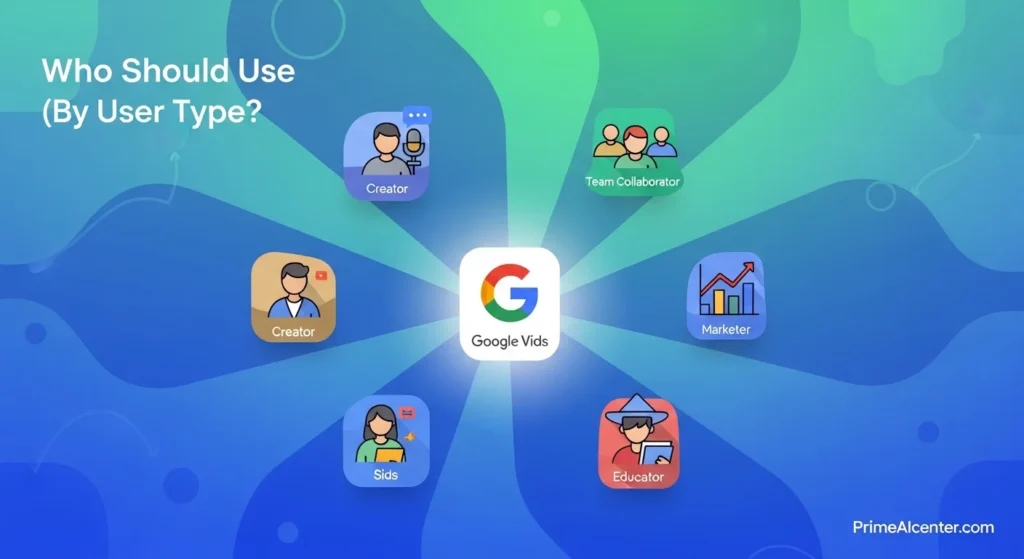
✅ Google Vids Is Perfect For:
Google Workspace teams: If your company already uses Google Docs, Slides, Drive, and Gmail, Google Vids integrates seamlessly. Training videos, product walkthroughs, internal announcements, and client presentations all live in the same platform as the rest of your work. The real-time collaboration (same as Google Docs) is genuinely unmatched by any competitor. For enterprise deployment strategies, see our enterprise AI deployment guide.
Content creators using short-form video: 10 free AI video clips per month is enough to generate B-roll for social posts, YouTube Shorts, Instagram Reels, and TikTok content. Combined with the screen recorder and YouTube export, Google Vids covers a complete short-form workflow. If you’re building your content creator toolkit, our best AI tools for content creators 2026 guide covers the full stack.
Small business owners and solopreneurs: Google Workspace Business Starter at $7/month currently includes full AI video features through at least May 31, 2026. That’s the cheapest path to AI video creation on the market — and it includes an entire productivity suite. For the full solopreneur AI toolkit, see our best AI tools for solopreneurs guide.
Educators and trainers: The teleprompter recording, AI-generated outlines, and avatar-based presenter options make Google Vids exceptionally practical for creating training content, lesson explainers, and educational series. Generate a storyboard from a lesson plan document, record yourself presenting, add an AI-generated soundtrack — all in one tool.
Marketers building video at scale: 50 clips/month on Pro ($19.99) with AI-generated music means a marketing team can produce more video content in a month than a traditional production budget would allow. For content monetization strategies, see our guide on how to make money with AI.
❌ Google Vids Is NOT Right For:
Professional filmmakers and high-end production: 8-second clips and a 30-minute maximum are real constraints. For cinematic AI video at 1080p+, use Google’s own Flow tool (included in AI Ultra) or Runway Gen-3 Alpha. Google Vids is a productivity tool, not a production studio.
Multilingual global campaigns: Only 8 avatar voice languages as of April 2026. For content in 50+ languages, Synthesia (140+) or HeyGen (175+) are the correct tools.
Client-facing avatar content where realism is critical: Google Vids’ avatars are improving but still lag behind Synthesia and HeyGen on facial expression realism. For external-facing professional presentations where uncanny valley matters, use a dedicated avatar platform.
Non-Google ecosystem teams: If your company runs on Microsoft 365, Notion, or another stack, Google Vids’ primary advantage disappears. The tool’s value is fundamentally tied to Workspace integration.
📅 Google Vids Timeline: Every Major Update (2024–2026)
| Date | Update |
|---|---|
| April 2024 | Google Vids launched — enterprise content creation, Gemini storyboarding, script generation |
| August 2025 | AI image-to-video generation added |
| January 2026 | Improved Veo AI video generation tools |
| February 2026 | 2D and 3D cartoon-style avatars; 7 new voice languages (Spanish, French, German, Italian, Korean, Portuguese, Japanese); Vertical (9:16) and square (1:1) video support; 30-minute video cap (up from shorter) |
| March 2026 | Lyria 3 Pro music generation begins rolling out; AI limits enforcement begins for some Workspace tiers |
| April 2, 2026 | 🔥 Major update: Free Veo 3.1 for all Google accounts; Lyria 3 full integration; directable AI avatars; Chrome screen recorder extension; direct YouTube publishing; Ultra users get 1,000 videos/month |
🔌 Key Links: Access, Download & Resources
- 🎬 Start creating: vids.new (direct browser shortcut)
- 🎬 Full access: vids.google.com
- 💰 Plans & pricing: one.google.com/about/google-ai-plans
- 📦 Chrome extension (screen recorder): Chrome Web Store — Google Vids Screen Recorder
- 📚 Official tutorial center: Google Workspace Learning Center: Vids
- 📖 Official best practices guide: Google Vids Best Practices (support.google.com)
- 🧑💻 Developer API (Gemini): ai.google.dev/gemini-api/docs/video
- 🏢 Workspace plans comparison: workspace.google.com/pricing
- 📰 Official April 2026 update: blog.google — Google Vids Updates Lyria Veo
The Bigger Picture: Why Google Vids Matters for AI Content Strategy?
Google Vids is not just a product launch. It is a signal about where AI-powered content creation is heading. When Synthesia — the avatar video market leader — reached a $4 billion valuation in January 2026, the market was betting that AI video creation would remain a specialist tool with premium pricing. Google’s April 2026 update challenges that assumption directly: free AI video generation for 3+ billion Google account holders is not a premium feature. It is table stakes.
The broader pattern: Google is systematically embedding generative AI into its existing infrastructure rather than building it as a separate product. Google Vids connects to the same ecosystem as Gmail, Docs, Slides, Drive, and YouTube. For the 2+ billion active users of Google Workspace, this means AI video is not something you go somewhere else to use. It is already in your workflow.
This matters particularly for anyone thinking about GEO optimization and AI search visibility. As Google integrates AI throughout its product ecosystem — including this new AI-generated video tooling — the relationship between content production and discoverability is changing. Video content produced in Google Vids and published directly to YouTube sits at the intersection of Google’s search, video, and AI products. For anyone building an AI-assisted content strategy, that integration is not incidental. For GEO ranking strategies, see our complete GEO ranking techniques guide.
The competitive response will be interesting. OpenAI pulled back from Sora as a consumer product — and Google immediately filled that gap with free Veo 3.1 access. For what the next generation of models (including OpenAI’s next video offering) will bring, see our GPT-5.5 Spud review. For Google’s own frontier model strategy, our Gemini 3.1 Pro guide covers where Veo 3.1 fits in Google’s broader AI roadmap.
For AI video statistics and the market context — including why 49% of marketers worldwide now use AI for image and video generation daily — see our AI statistics 2026 guide. For the best AI chatbots that complement Google Vids for scriptwriting and content planning, see our best AI chatbots 2026 comparison.
Frequently Asked Questions
Is Google Vids free?
Yes — any Google account (not just Workspace) can now access Google Vids and generate up to 10 AI video clips per month using Veo 3.1, completely free. The screen recorder Chrome extension and direct YouTube publishing are also free. AI music generation (Lyria 3) and directable AI avatars require a paid plan: Google AI Pro at $19.99/month or Ultra at $249.99/month.
How do I access Google Vids?
Type vids.new in your browser address bar for instant access to a new project. Or go to vids.google.com. Sign in with any Google account.
What is Veo 3.1 in Google Vids?
Veo 3.1 is Google DeepMind’s latest video generation model, integrated directly into Google Vids as of April 2, 2026. It generates 8-second high-quality video clips from text prompts or photos, at 720p resolution (free/Pro) or 1080p (Ultra). All free accounts get 10 generations per month; Pro subscribers get 50/month; Ultra subscribers get up to 1,000/month.
What is Lyria 3 in Google Vids?
Lyria 3 is Google DeepMind’s AI music generation model. In Google Vids, it creates original soundtracks from a vibe description — style, tempo, mood — without requiring musical knowledge. Available to Google AI Pro and Ultra subscribers. Lyria 3 Pro (also available on these tiers) generates tracks up to 3 minutes long. All tracks carry SynthID watermarks.
Is Google Vids better than Synthesia?
For different use cases, each wins. Synthesia has 240+ avatars, 140+ languages, and enterprise-grade compliance (SOC 2 Type II) — it’s the correct choice for corporate training content that needs high avatar realism and multilingual support. Google Vids has AI video generation (Synthesia has none), AI music (Synthesia has none), free tier access, and native Google Workspace integration. Choose based on your use case, not overall “betterness.”
How long can videos be in Google Vids?
Maximum 30 minutes per video. Each AI-generated clip is 8 seconds. You can chain multiple clips together in the timeline. For long-form content beyond 30 minutes, you need to split into multiple video files.
What is the Chrome screen recorder for Google Vids?
A free Chrome extension that lets you capture your screen and/or camera from any browser tab without opening Google Vids separately. Recordings drop directly into your active Vids project. It includes a teleprompter mode (your script scrolls on screen while you record) and AI-powered transcript trimming that removes pauses and filler words. Download from the Chrome Web Store.
Does Google Vids work on mobile?
Playback only on mobile. Editing, commenting, and AI features require desktop (Chrome recommended). Mobile support for editing is expected to improve, but as of April 2026, Vids is a desktop-first tool.
Should I use Google Vids for content creation?
If you’re already in the Google ecosystem and create internal business content (training videos, product demos, team announcements), yes — the integration makes it the most frictionless option available. If you’re an independent content creator focused on social media, the free tier works for generating B-roll and supplemental clips. For a complete content creation toolkit, see our best AI tools for content creators 2026 guide and our best AI tools overall for 2026.
How does Google Vids compare to AI agents and automation tools?
Google Vids is a creation tool, not an automation platform. For building automated video workflows — where AI agents create, optimize, and publish video content without human intervention — you’d combine Google Vids with workflow automation tools. For AI agent architecture, see our AI agent guide. For WhatsApp integration of AI video content, see our WhatsApp AI agents guide.
Final Verdict: Is Google Vids Worth Using in 2026?
The April 2, 2026 update transformed Google Vids from a useful-but-limited Workspace tool into a genuine contender in the AI video creation market. Free AI video generation for every Google account is not a minor feature — it is a structural change in how accessible AI video creation has become.
For the right user — someone already in the Google ecosystem, creating internal business content, or exploring AI video for the first time — Google Vids is the best free starting point available anywhere. The free tier is genuinely useful. The Pro tier at $19.99/month is competitive with every alternative. The Workspace integration is unmatched.
For the wrong user — a professional filmmaker needing cinematic 4K output, a multilingual enterprise deploying training in 80 languages, or a solo creator whose entire workflow is avatar-based — there are better specialized tools.
The verdict: start at vids.new today. The free tier costs nothing and takes two minutes to set up. If it fits your workflow, you’ve found the most cost-effective AI video tool available. If it doesn’t, you’ve lost nothing but learned what you actually need from a dedicated tool.
Sources: Google Keyword Blog — official April 2026 update, TechCrunch, WinBuzzer, AI Tool Analysis full review, Google Workspace Learning Center, Google Vids official help, Google One AI plans, CostBench Google Veo pricing, Veo3AI complete guide. Updated April 7, 2026.