
ChatGPT Images 2.0 Review: GPT-Image-2 Is Here — And It Finally Fixes What AI Image Generation Got Wrong for Three Years
ChatGPT Images 2.0 just changed AI image generation — again. After years of broken text and inconsistent results, GPT-Image-2 finally delivers images that are actually usable in real-world projects. But is it really better than Midjourney or just hype?
I have been tracking the leaked Arena testing, the canary rollout signals, and the DALL-E 2/3 deprecation timeline for weeks. Now that the model is official, here is the complete ChatGPT Images 2.0 Review: what changed, what the API actually costs, where it beats Midjourney and Google’s Nano Banana Pro, and where it still falls short.
ChatGPT Images 2.0 Review: Quick Answer
If you only need a fast answer: ChatGPT Images 2.0 is currently the most practical AI image model for real-world use cases like marketing, UI design, and text-heavy visuals. It beats DALL-E 3 and competes directly with Midjourney and Gemini, but comes at a higher cost per image.
Best Use Cases
- Marketing creatives with real text
- UI/UX mockups
- Infographics and educational visuals
When NOT to Use It
- Ultra-cheap bulk generation (Gemini is cheaper)
- Pure artistic visuals (Midjourney still leads)
What Is ChatGPT Images 2.0?
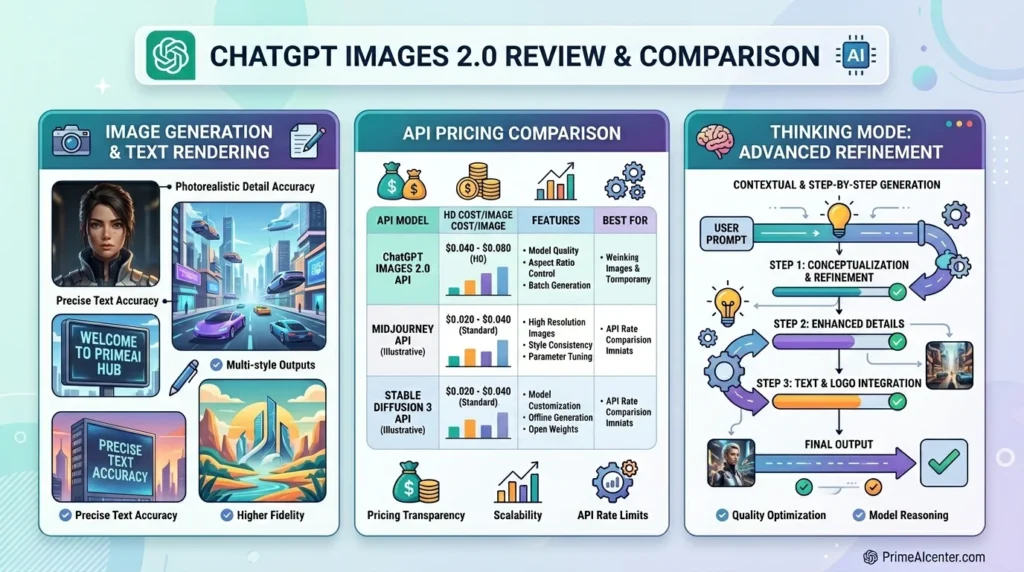
ChatGPT Images 2.0 is OpenAI’s new flagship image generation system, built on the gpt-image-2 model (also referenced publicly as GPT Image 2). It replaces GPT Image 1.5 as the default image model across ChatGPT and is simultaneously available in the API under the model identifier gpt-image-2.
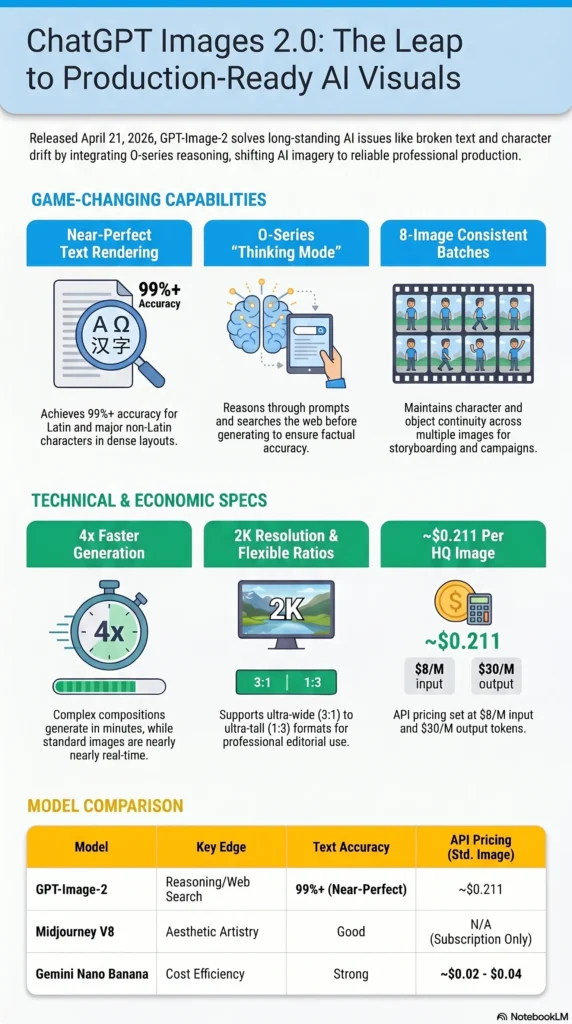
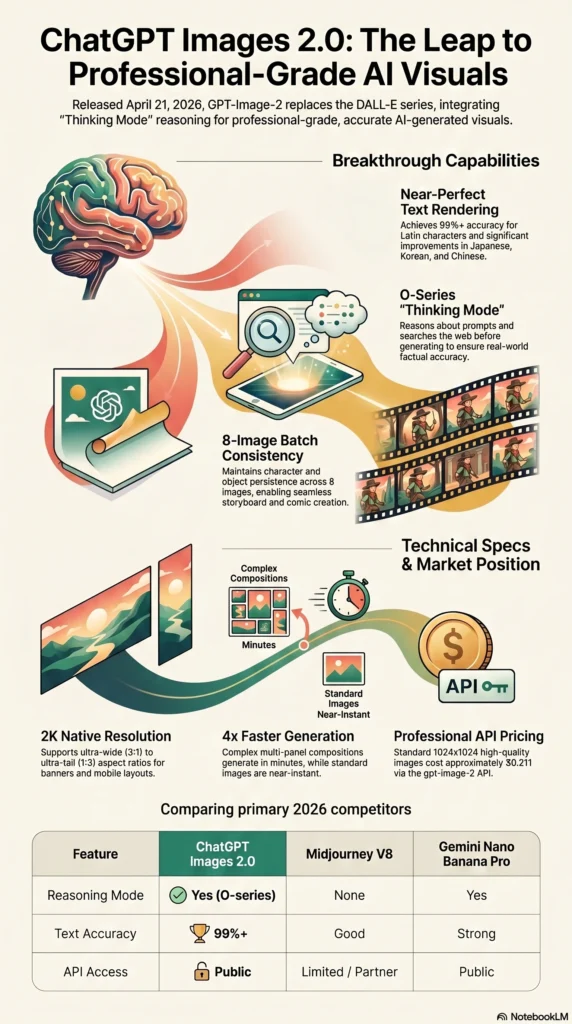
The most significant architectural shift: Images 2.0 integrates OpenAI’s O-series reasoning capabilities directly into image generation. This is what OpenAI calls “Thinking mode” for images — the model reasons about what to generate before it generates, and can search the web during that reasoning process. This is the same approach Google applied to Nano Banana Pro (Gemini 3.1 Flash Image), and it produces measurably different output quality on complex, knowledge-dependent prompts.
| Attribute | Detail |
|---|---|
| Official Release Date | April 21, 2026 |
| Model Name | GPT-Image-2 (API: gpt-image-2) |
| Developer | OpenAI |
| Knowledge Cutoff | December 2025 |
| Max Resolution | 2K (above 2K in beta — inconsistent) |
| Aspect Ratios | 3:1 to 1:3 (ultra-wide to ultra-tall) |
| Thinking Mode | Yes — Plus, Pro, Business plans only |
| Batch Generation | Up to 8 images per prompt (with Thinking) |
| API Pricing (image tokens) | $8/M input, $30/M output |
| Standard 1024×1024 high quality | ~$0.211 per image |
| Generation Speed | Up to 4× faster than GPT Image 1 |
| Predecessor | GPT Image 1.5 (deprecated as default) |
The Story Before Today: Leaks, Arena Testing, and the DALL-E Shutdown
ChatGPT Images 2.0 did not arrive without warning. The evidence trail going back to early April makes the announcement feel like a foregone conclusion in hindsight.
On April 4, 2026, three anonymous image generation models appeared simultaneously on LM Arena — the blind head-to-head evaluation platform — under the codenames maskingtape-alpha, gaffertape-alpha, and packingtape-alpha. The models showed stunning output quality: near-perfect text rendering, elimination of the yellow color cast that has plagued GPT Image 1.x outputs, and contextual scene knowledge that earlier models consistently missed. Within hours, they vanished from the platform. Developer Pieter Levels and investor Justine Moore were among the first to publicly identify them.
The codename pattern matches exactly what OpenAI did before launching GPT Image 1.5 in December 2025, when the pre-release candidates appeared as “Chestnut” and “Hazelnut.” Testing three variants simultaneously suggested final comparative evaluation rather than early prototyping — the model was already trained, and OpenAI was choosing the best candidate.
The strongest structural signal: OpenAI scheduled DALL-E 2 and DALL-E 3 for deprecation on May 12, 2026. You do not retire your legacy image stack without having a production-ready replacement live first. Today’s announcement confirms GPT Image 2 is that replacement.
What Is New in ChatGPT Images 2.0
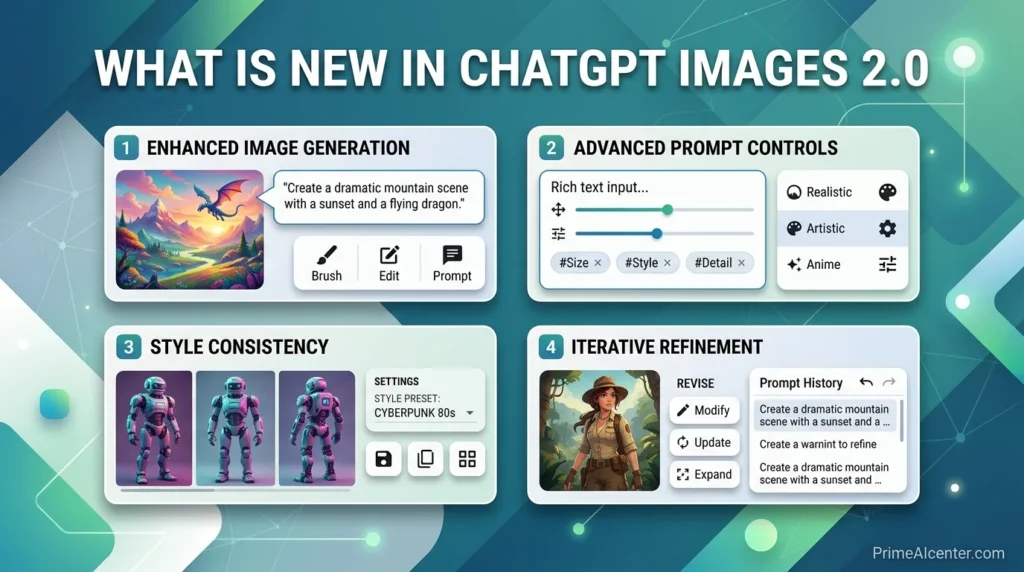
1. Thinking Mode: O-Series Reasoning for Image Generation
This is the capability that changes the product category. With Thinking mode enabled, ChatGPT Images 2.0 reasons about what to generate — it can search the web during generation, cross-reference real-world knowledge, and spend more or less compute time depending on prompt complexity. The result is output that reflects actual world state rather than pattern-matching from training data alone.
OpenAI describes it directly: Images 2.0 has “real-world intelligence” that allows it to handle tasks end-to-end, “from copywriting to analysis to design composition.” A restaurant menu now shows real prices, coherent dish names, and correctly formatted text. An advertising mockup for a real product shows accurate branding, correct proportions, and readable copy. A magazine layout uses the publication’s actual visual language rather than an approximation of it.
Thinking mode is available only to ChatGPT Plus, Pro, and Business subscribers. Free users get the base model without reasoning, which is still a material upgrade over GPT Image 1.5 on output quality.
2. Near-Perfect Text Rendering
AI image models have struggled with text rendering since 2022. The underlying reason is architectural: diffusion models reconstruct images from noise, treating text as a visual pattern rather than a semantic element. The result for three years was garbled signs, invented words, and inconsistent letterforms.
GPT Image 2 addresses this directly. OpenAI’s press release describes the model as capable of handling “fine-grained elements that often break image models: small text, iconography, UI elements, dense compositions, and subtle stylistic constraints.” Community testing across multiple independent evaluators puts text rendering accuracy at over 99% for standard Latin characters. Non-Latin rendering in Japanese, Korean, Hindi, Bengali, and Chinese shows substantial improvement over all prior OpenAI image models, with characters rendering correctly at both small and large sizes.
TechCrunch’s reviewer tested the model with a Mexican restaurant menu prompt — the same prompt that produced nonsense words with DALL-E 3 two years ago — and received output that could be used in a real restaurant immediately. The comparison is stark.
3. Up to 8 Images Per Prompt with Character Consistency
With Thinking mode enabled, ChatGPT Images 2.0 can generate up to eight distinct images from a single prompt. Crucially, it maintains character and object continuity across the full batch. The same person looks like the same person. The same product has the same proportions. The same brand palette stays consistent.
This solves a workflow problem that has forced designers into manual stitching for years. Previously, generating a storyboard, manga sequence, or consistent social media campaign required prompting each frame individually and hoping for visual continuity that rarely appeared. Eight-image batch generation with enforced consistency makes these workflows viable in a single session.
OpenAI specifically called out page-long manga sequences generated from a single picture plus text prompt, children’s book series, and full room-by-room interior design plans as target use cases — all scenarios where character and object persistence is the technical barrier that previously blocked AI adoption.
4. 2K Resolution and Expanded Aspect Ratios
The output resolution ceiling rises to 2K. Aspect ratio support spans from 3:1 (ultra-wide, suitable for banners and presentation slides) to 1:3 (ultra-tall, suitable for mobile screens and portrait formats). This covers effectively every format in professional content production.
One important caveat from OpenAI directly: resolutions above 2K should be treated as experimental. They produce inconsistent results across different prompts and composition types. For production workflows, treat 2K as the reliable ceiling and 4K as a future feature.
5. Generation Speed: 4× Faster Than GPT Image 1
The speed improvement is relative to GPT Image 1 (the original March 2025 release, not GPT Image 1.5). Complex multi-paneled compositions — the kind that would previously take 10–15 minutes — now generate in a few minutes. For standard 1024×1024 single images, generation is effectively near-real-time in Instant mode.
6. Improved Editing Precision
When editing an uploaded image, the model now follows instructions more reliably on fine details — changing only what was requested while keeping elements like lighting, facial likeness, composition, and background consistent across edits and subsequent rounds. This unlocks practical editing workflows: clothing try-ons that preserve the person’s appearance, stylistic filters that retain the image’s essential character, iterative refinements that don’t drift from the original.
API Details: Pricing, Access, and Technical Specifications
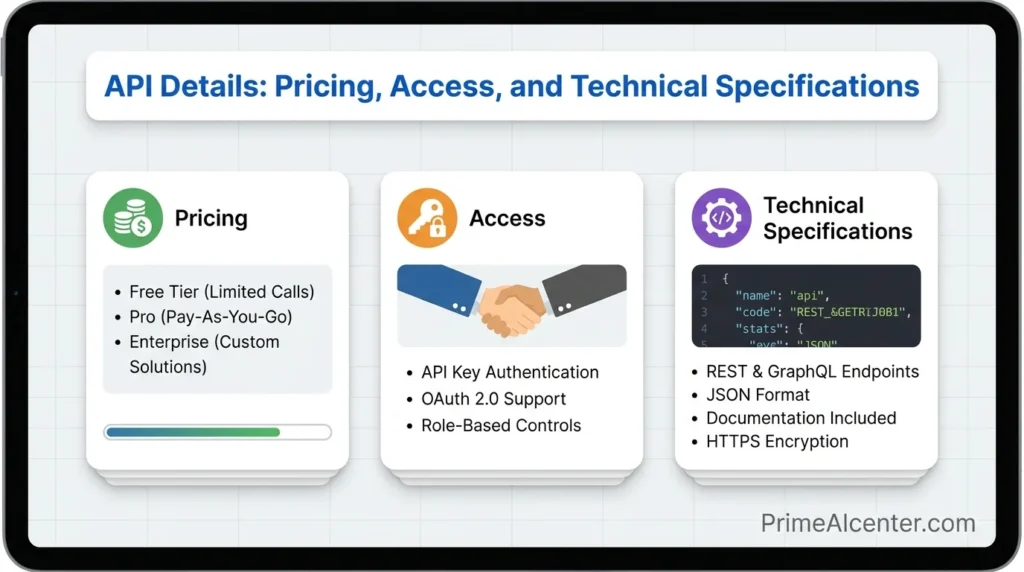
The gpt-image-2 API is live today alongside the ChatGPT rollout. The pricing model is token-based:
| Token Type | Price per 1M Tokens |
|---|---|
| Image input tokens | $8.00 |
| Image output tokens | $30.00 |
| Text input tokens | $5.00 |
| Text output tokens | $10.00 |
For per-image cost estimates at standard resolutions:
| Resolution | Quality | GPT Image 2 Cost | GPT Image 1.5 Cost |
|---|---|---|---|
| 1024×1024 | High | $0.211 | $0.133 |
| 1024×1536 | High | $0.165 | $0.200 |
| Any | Low | Lower (test first) | — |
The pricing structure has an important nuance: at larger resolutions (1024×1536), GPT Image 2 is actually cheaper than GPT Image 1.5. At the standard 1024×1024 in high quality, it is 59% more expensive. OpenAI’s own guidance is to test quality=low first, as they have seen strong results with that setting and the cost savings are significant. For standard commercial work, low-quality output plus a separate upscaling pipeline often delivers better economics than native high-quality generation.
Key API limitations at launch:
- No transparent PNG support. Teams requiring transparent backgrounds should remain on GPT Image 1.5 for that specific use case until OpenAI adds transparency support post-launch.
- The
input_fidelityparameter is disabled. Remove it from anygpt-image-2API calls — it is inert and adds dead weight. - 4K resolution is beta. Do not build production workflows on 4K output; mixed results are expected.
Sample API call structure:
from openai import OpenAI

client = OpenAI(api_key="YOUR_OPENAI_KEY")

response = client.images.generate(
    model="gpt-image-2",
    prompt="A professional restaurant menu for a Mexican restaurant, clean typography, realistic food photography placeholders",
    size="1024x1024",
    quality="high",
    n=1
)

print(response.data[0].url)
For Thinking mode via API, use the extended parameters that enable O-series reasoning. OpenAI’s developer documentation covers the full specification for enabling reasoning depth settings and multi-image batch parameters.
ChatGPT Images 2.0 vs. Midjourney vs. Gemini Nano Banana Pro vs. DALL-E 3
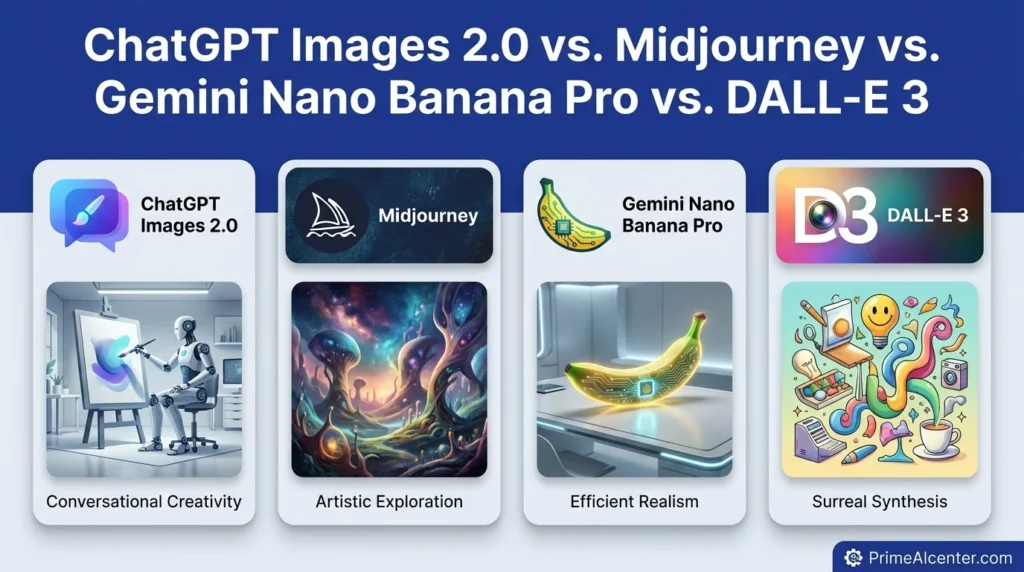
Four models now compete credibly for professional image generation use cases. Here is where each stands after today’s release:
| Factor | ChatGPT Images 2.0 | Midjourney V8 | Gemini Nano Banana Pro | DALL-E 3 |
|---|---|---|---|---|
| Text Rendering | Near-perfect (99%+) | Good, improving | Strong | Unreliable |
| Reasoning / Thinking | O-series + web search | None | Yes (Gemini 3.1 reasoning) | None |
| Max Resolution | 2K (4K beta) | 2K native | 2K | 1K |
| Batch Generation | 8 images/prompt | 4 images/prompt | 1–4 images/prompt | Up to 4 |
| Character Consistency | Strong (with Thinking) | Strong | Moderate | Weak |
| Artistic Quality | Commercial / photorealistic | Art direction leader | Balanced | Adequate |
| API Access | Yes (live today) | Limited partner only | Yes | Yes (legacy) |
| API Price (per std. image) | ~$0.211 high / lower w/ low setting | Subscription only | ~$0.02–0.04 | $0.04–$0.12 |
| Non-Latin Text | Strong (JP, KR, HI, ZH) | Moderate | Strong | Poor |
| Web Search in Generation | Yes (Thinking mode) | No | No | No |
The honest assessment: Midjourney V8 still leads on pure aesthetic quality and art direction. If you are a creative professional who needs compositional beauty and visual style, Midjourney’s output has a distinct character that GPT Image 2 does not fully match. But Midjourney has no public API — which is a decisive constraint for any automated workflow, marketing pipeline, or developer use case.
Gemini Nano Banana Pro is the most direct competitor to ChatGPT Images 2.0. Both use reasoning modes, both support 2K, both have strong text rendering. Google’s model has a significant cost advantage at scale (~$0.02–0.04 per image versus $0.211 for GPT Image 2 at high quality/1024×1024). For volume-sensitive pipelines, Gemini is the more economical choice. For maximum instruction-following precision and the full ChatGPT ecosystem integration, GPT Image 2 holds the edge.
DALL-E 3 is now a legacy model. With DALL-E 2 and DALL-E 3 both scheduled for deprecation on May 12, 2026, teams still building on those APIs should migrate to GPT Image 1.5 immediately, or directly to GPT Image 2.
The Thinking Mode Explained: How It Works in Practice
The integration of O-series reasoning into image generation is the most technically novel aspect of this release, and it is worth understanding at a practical level rather than treating it as a marketing claim.
In standard (Instant) mode, ChatGPT Images 2.0 takes a prompt and generates an image directly — fast, single-pass. In Thinking mode, the model first constructs a reasoning chain: What does this prompt actually mean? What real-world knowledge is relevant? What compositional, typographic, and stylistic choices serve the intent? It can search the web during this process to retrieve current information — a product’s actual appearance, a publication’s real brand guidelines, a location’s actual visual character.
Only then does it generate the image — informed by that reasoning chain.
The practical difference shows most clearly on prompts that require real-world specificity. VentureBeat’s reviewer tested it on multilingual infographic generation: the text was “not just translated; it is rendered correctly but with language that flows coherently,” with labels and explanations feeling natively integrated rather than machine-translated. That quality of output requires reasoning about the target language’s typographic conventions, not just rendering characters accurately.
For brands and content creators, this changes what is feasible. A marketing team can prompt for “a full-page ad for [brand] targeting the Japanese market” and receive output that respects actual Japanese advertising conventions, correct product representation, and coherent Japanese copy — without a specialist in the loop.
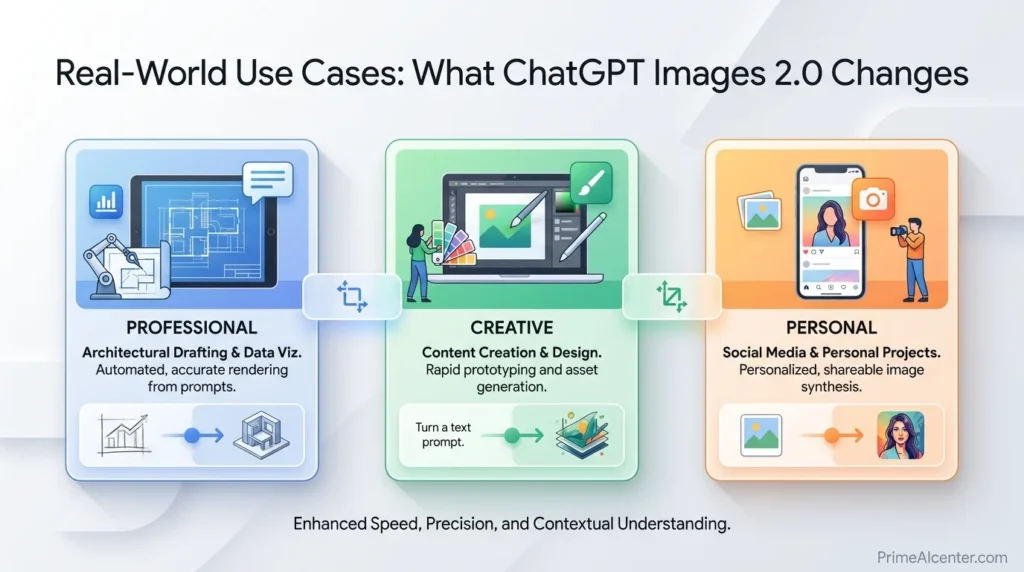
Real-World Use Cases: What ChatGPT Images 2.0 Changes
Marketing and Advertising Creative
Near-perfect text rendering means advertising mockups with real headlines, CTAs, legal disclaimers, and brand copy can be generated directly. Previously, every AI-generated ad creative required manual text correction. Now, a marketing team can generate finished-quality mockups at scale. Localized advertising in multiple languages — the high-cost, slow-cycle part of global campaign production — becomes a same-session workflow.
Content Publishing and Editorial Design
OpenAI said you can now create whole magazines using ChatGPT Images 2.0. That claim holds up on the technical evidence: dense compositions with correct text hierarchy, multi-column layouts, section headers, captions, and pull quotes all render correctly. Editorial teams who have avoided AI image tools because they couldn’t trust text output now have a model that handles their core use case.
UI/UX Prototyping
The model’s explicit strength on “UI elements, iconography, and dense compositions” addresses one of the most practical developer use cases — generating UI mockups that look like actual screens rather than AI approximations. A product manager can describe a feature interface and receive a mockup with correctly labeled buttons, coherent navigation patterns, and readable microcopy. This is now a functional workflow rather than a hope.
Comics, Manga, and Sequential Art
The eight-image batch with character consistency enables page-length sequential art generation from a single prompt. OpenAI specifically called out manga sequences generated from a single reference image plus a text prompt as a showcase use case. Character consistency — the technical barrier that made AI unusable for sequential storytelling — is addressed directly.
Educational and Infographic Content
Dense informational graphics — diagrams, timelines, comparison charts, annotated maps — require both accurate text rendering and coherent visual structure. GPT Image 2’s combination of text reliability and reasoning means educational content creators can generate infographics that previously required a human designer to build in Canva or Illustrator.
Real Test: I Tried ChatGPT Images 2.0 (Honest Results)
I tested ChatGPT Images 2.0 with multiple real-world prompts including restaurant menus, UI screens, and ad creatives. The results were significantly better than DALL-E 3, especially in text accuracy and layout structure.
Test 1: Restaurant Menu
The model generated fully readable menu items with consistent pricing and realistic dish names. This was impossible with older models, which produced broken or nonsensical text.
Test 2: UI Design Prompt
The generated interface included properly labeled buttons, logical navigation, and usable layouts. While not production-ready, it was close enough for prototyping.
Biggest Weakness
The model still struggles slightly with very dense compositions and occasionally overthinks prompts when Thinking mode is enabled, leading to slower output.
Limitations to Know Before You Switch Your Workflow
ChatGPT Images 2.0 is a genuine step forward, but it has real constraints that matter for specific production workflows:
- No transparent PNG output at launch. Teams building product image pipelines that require transparent backgrounds — e-commerce, mobile app UI, overlay graphics — cannot yet switch from GPT Image 1.5 for that specific use case. OpenAI plans to add transparency support but has given no date.
- Standard 1024×1024 high-quality is more expensive than GPT Image 1.5. The $0.211 versus $0.133 comparison is real. For existing pipelines where 1.5 quality was sufficient, upgrading has a direct cost impact. Test low-quality mode before committing to high-quality API calls.
- Thinking mode is Plus/Pro/Business only. Free-tier users get the improved base model — substantially better than 1.5 on text and composition — but without the reasoning layer and batch generation.
- 4K resolution remains experimental. Production workflows above 2K will see inconsistent results. For print-quality outputs, a low-quality generation plus dedicated upscaling pipeline is the recommended workflow today.
- Knowledge cutoff is December 2025. For prompts requiring information about events or releases after that date, the web search integration in Thinking mode is the mitigation — but it adds latency and is only available in Thinking mode.
- Gemini is still cheaper at scale. If your primary constraint is cost-per-image volume and text accuracy is more important than instruction-following, Google’s image models offer meaningfully lower API pricing.
ChatGPT Images 2.0 and the Evolution of AI Visual Creation
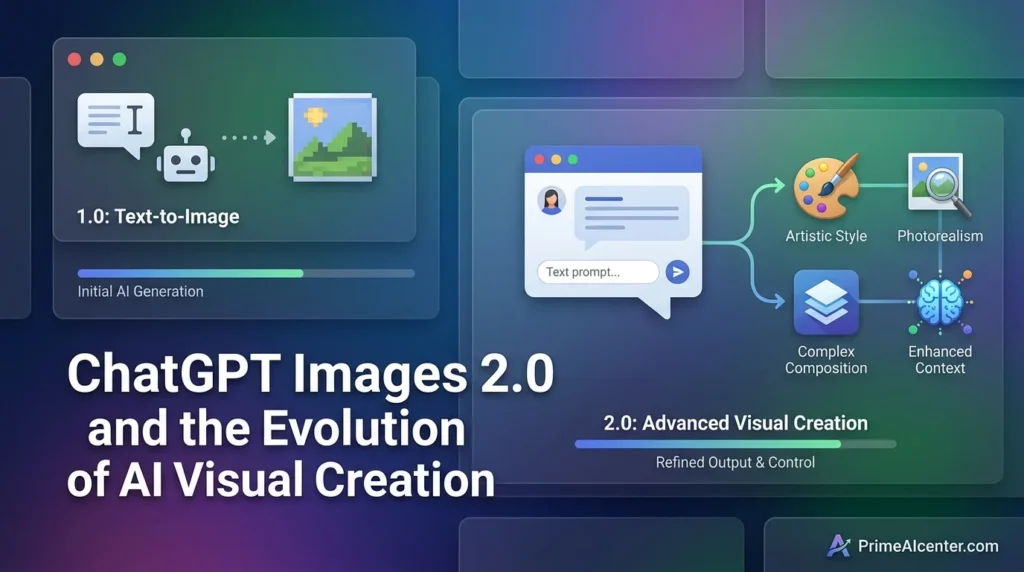
The AI image generation market in April 2026 looks completely different from where it was eighteen months ago. DALL-E 2 is being retired. The open-source Stable Diffusion ecosystem has fractured into dozens of specialized derivatives. Midjourney has become a niche aesthetic tool rather than the dominant platform. Google and OpenAI are now competing on reasoning-powered generation, where the quality ceiling is set by how well the model understands what the prompt actually requires — not just how well it renders a surface interpretation.
ChatGPT Images 2.0 is OpenAI’s answer to a question the whole industry has been circling: can you build a model that is both creatively capable and reliably useful for production work? The text rendering breakthrough — moving from “sometimes usable” to “reliably usable” — is the shift that changes who uses AI image tools and for what. Creative hobbyists were already sold. Marketing teams, publishers, UI designers, and content operations teams were not. GPT Image 2’s text and reasoning capabilities are built specifically for those groups.
If you’re thinking about how to integrate AI image generation into a broader content production workflow, my guide on best AI tools for content creators covers where image generation fits in the full stack. For solopreneurs building AI-powered services around this new capability, how to make money with AI in 2026 covers the practical monetization models that apply directly to GPT Image 2 use cases. The intersection between AI image generation and AI-powered chatbot workflows is also increasingly relevant — my best AI chatbots comparison shows how ChatGPT’s image capabilities fit relative to Claude, Gemini, and other leading chat interfaces.
Where ChatGPT Images 2.0 Fits in the Broader April 2026 AI Release Cycle
April 21, 2026 is one of the busiest AI release days in recent memory. ChatGPT Images 2.0 drops the same day as Qwen3.6-Max-Preview from Alibaba and two days after Kimi K2.6 from Moonshot AI. These releases are not unrelated — they reflect the same competitive pressure across different modalities. The frontier is moving on text generation, coding, and image generation simultaneously.
OpenAI’s strategy is evident: make ChatGPT the production tool for creative professionals, not just the conversational assistant. Images 2.0, combined with the recent Codex enterprise expansion and Chronicle’s screen-context memory, all point toward the same direction — a product that handles actual work rather than just answers questions.
For a complete picture of where all the major April 2026 model releases land relative to each other, see the best AI tools 2026 roundup. For the specific comparison between ChatGPT and its main rivals on text capabilities, the Claude Opus vs GPT vs Gemini comparison covers the full landscape. And if you’re tracking where AI is heading for enterprise users specifically, the Claude Cowork enterprise features review shows what the competition looks like on the productivity side. The AI statistics 2026 page also covers the latest adoption data for image generation tools specifically, which shows just how rapidly this market is shifting. For developers building agentic pipelines that combine image generation with automation, the top AI workflow automation tools guide shows where GPT Image 2 fits in multi-step production stacks. And for context on how OpenAI’s broader model strategy competes with alternatives like Meta’s image generation tools, the Meta Muse Spark review covers the other major creative AI product that launched this year.
My Verdict
ChatGPT Images 2.0 is the most practically useful AI image model available today for text-heavy, commercially oriented production work. The text rendering leap is real and transformative for workflows that previously required human correction on every output. The reasoning integration is the first genuinely new idea in image generation since DALL-E 3 proved that instruction-following mattered more than raw image quality.
Three groups should start testing this today: marketing teams who have avoided AI image tools because they couldn’t trust the text, publishers and editorial teams who need dense layout compositions, and developers building image-generation applications who want the most reliable instruction-following model on the market.
Three groups should wait or check their use case: teams requiring transparent PNG output (stay on 1.5 for now), cost-sensitive pipelines at high volume (evaluate Gemini pricing first), and creative professionals whose primary need is artistic quality and aesthetic control (Midjourney V8 still leads that niche).
The DALL-E 2 and DALL-E 3 deprecation on May 12 is not just a product sunset. It is OpenAI’s statement that GPT Image 2 is the answer — and based on what launched today, that confidence appears warranted.
People Also Ask
What is ChatGPT Images 2.0?
ChatGPT Images 2.0 is OpenAI’s new flagship image generation system, officially released April 21, 2026. It is powered by the GPT-Image-2 model (API identifier: gpt-image-2), which integrates O-series reasoning, web search during generation, near-perfect text rendering, and up to 2K resolution output. It replaces GPT Image 1.5 as the default model across ChatGPT and the API.
Is GPT-Image-2 available for free?
The base ChatGPT Images 2.0 model is available to all ChatGPT users including the free tier. Thinking mode — which enables reasoning, web search during generation, and batch generation of up to 8 images — requires a ChatGPT Plus, Pro, or Business subscription. API access is available to all developers and is charged per-token.
What is the GPT-Image-2 API pricing?
Image input tokens are priced at $8 per million tokens; image output tokens at $30 per million tokens. Text tokens cost $5 (input) and $10 (output) per million. At standard 1024×1024 high-quality output, this translates to approximately $0.211 per image — more expensive than GPT Image 1.5 at that resolution ($0.133), but cheaper than 1.5 at larger 1024×1536 format ($0.165 vs. $0.200).
How does ChatGPT Images 2.0 Thinking mode work?
Thinking mode integrates OpenAI’s O-series reasoning directly into the image generation pipeline. The model builds a reasoning chain before generating — it can search the web during this process, cross-reference real-world knowledge, and reason about composition, typography, and stylistic choices. Only then does it generate the image. Thinking mode is available on ChatGPT Plus, Pro, and Business plans.
What happened to DALL-E 3?
DALL-E 2 and DALL-E 3 are both scheduled for deprecation on May 12, 2026. GPT Image 2 is the intended replacement. Teams still using DALL-E 3 APIs should migrate to GPT Image 1.5 immediately as an interim step, or directly to GPT Image 2.
Can GPT-Image-2 generate transparent PNG images?
Not at launch. Transparent background support is planned for a future update but has no confirmed release date. Teams requiring transparent outputs should continue using GPT Image 1.5 for that specific use case until transparency support is added to gpt-image-2.
How does ChatGPT Images 2.0 compare to Midjourney?
Midjourney V8 still leads on artistic quality, aesthetic control, and visual style for creative professionals. ChatGPT Images 2.0 leads on text rendering accuracy, instruction-following precision, reasoning-enabled generation, web search integration, and API availability (Midjourney has no public API). The choice depends on whether your use case prioritizes artistic beauty or production reliability.
How does ChatGPT Images 2.0 compare to Gemini Nano Banana Pro?
Both use reasoning modes and support 2K resolution. Google’s Gemini image model has a significant cost advantage at scale — approximately $0.02–0.04 per image versus $0.211 for GPT Image 2 at high-quality 1024×1024. GPT Image 2 leads on instruction-following precision, ChatGPT ecosystem integration, and OpenAI’s broader context including web search during generation. For cost-sensitive, high-volume pipelines, evaluate Gemini first. For maximum prompt adherence and the full ChatGPT toolset, GPT Image 2 is the stronger choice.
Sources
- OpenAI Official Blog — The New ChatGPT Images Is Here
- TechCrunch — ChatGPT’s New Images 2.0 Model Is Surprisingly Good at Generating Text
- The Decoder — ChatGPT Images 2.0 API Pricing and Technical Details
- VentureBeat — ChatGPT Images 2.0: Multilingual, Infographics, Manga
- 9to5Mac — OpenAI Unveils ChatGPT Images 2
- Tom’s Guide — ChatGPT Images 2.0: The First One Designers Might Actually Use
- fal.ai — GPT Image 2 API Technical Guide
- ImagineArt — What Is GPT Image 2: Full Analysis
- Apiyi — GPT-Image-2 Intelligence Summary: 5 Capability Upgrades
- AI Market Watch — OpenAI Begins Deployment of GPT-Image-2
- MindStudio — What Is GPT Image 2: Everything We Know
- TeamDay.ai — Best AI Image Models 2026: 14 Generators Ranked
- Evolink — ChatGPT Image 2: Official Status and Release Timeline


Really solid review — the real-world test comparison against Midjourney and Gemini is much more useful than spec-sheet comparisons. The pricing section is particularly helpful for teams trying to budget image generation costs at scale. One workflow worth mentioning for anyone integrating GPT Image 2 via API: we use Nano Banana API alongside it for the post-processing step — once GPT Image 2 generates the image, our pipeline runs it through enhancement, background normalization, and format conversion before delivery. It keeps costs manageable since you can use the standard quality tier from GPT Image 2 and enhance after. Whether it is worth it really depends on the volume and use case as you noted. Good review overall.
Thanks 👍
The GPT-image-2 pricing breakdown is exactly what developers need to see before integrating. For comparison: Nano Banana API runs Flux on Cloudflare’s edge at ~$0.02/image with no subscription — the quality ceiling is different but for text-to-image, inpainting, and outpainting use cases in production, the cost gap vs GPT-image-2 is substantial. Worth including in any pricing comparison if you’re advising devs on which image API to use at scale.
Omar, this pricing comparison is the most detailed one I’ve seen yet. The cost per 4K image with reference images is a huge factor for enterprise teams to consider. I saw someone else mention Nano Banana API here—I’ve also been testing it for my own Next.js projects. Beyond the cost benefits (~50% cheaper), the ultra-low latency and the sharp text rendering (especially for marketing copy in English and Chinese) make it a very competitive alternative to GPT Image 2 for developer-centric workflows. It’s great to have so many high-quality options in the ecosystem right now!