
Microsoft Agent 365 Review 2026: The Enterprise AI Control Plane That Changes Everything — Or Does It?
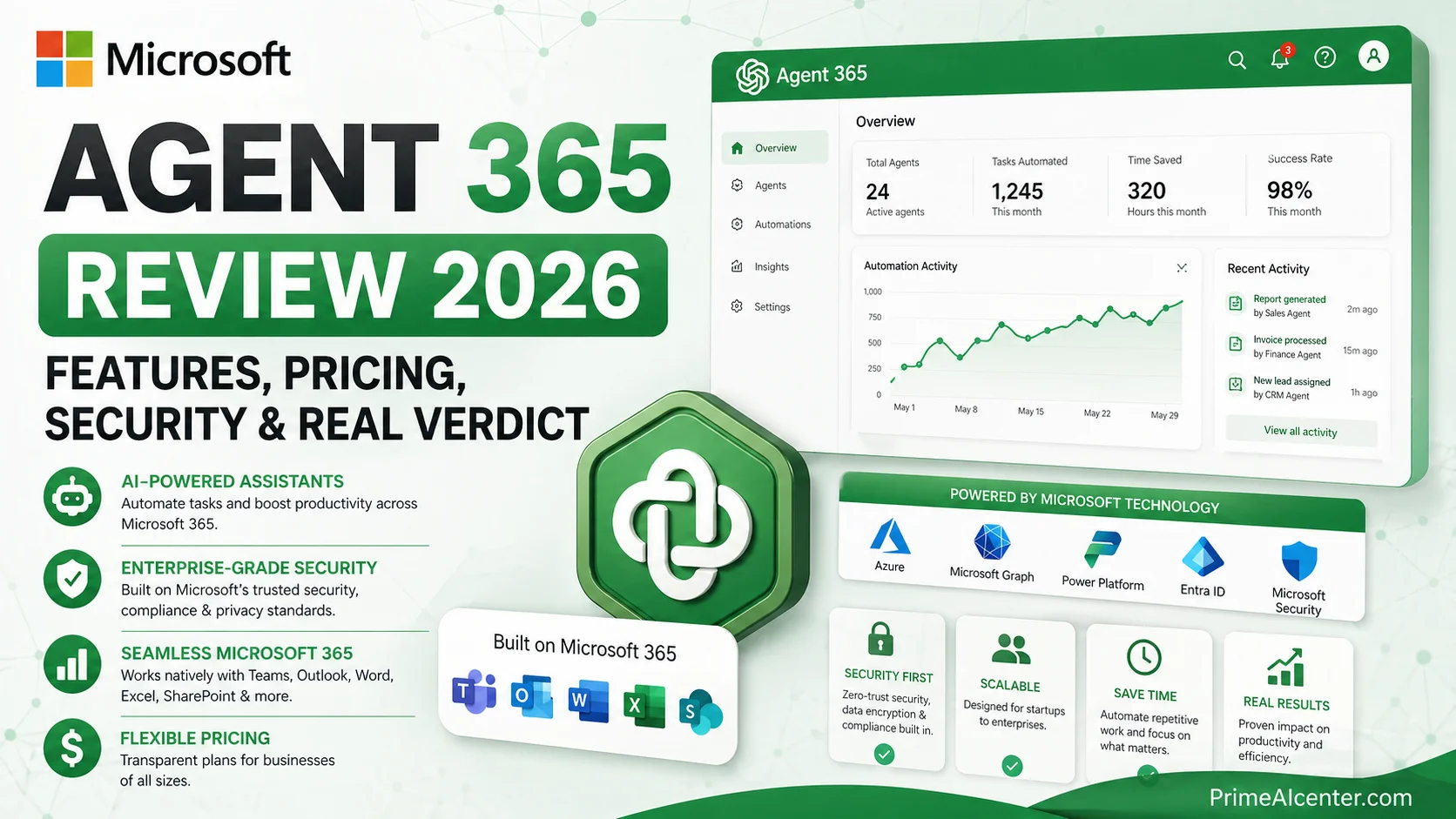
Microsoft Agent 365 is an enterprise AI governance platform that allows organizations to monitor, control, and secure AI agents across Microsoft 365 environments. It provides agent visibility, identity management, and security controls, but does not build or run agents itself.
Look, I’ve been tracking enterprise AI tools for a while now. And honestly? Most of them are marketing-speak wrapped around incremental updates. Microsoft Agent 365 is different. Not because it builds agents for you — it doesn’t. But because it’s the first serious answer to a question every enterprise IT leader has been quietly panicking about: how do you govern dozens, or eventually hundreds, of AI agents running loose in your organization?
Agent 365 hit general availability on May 1, 2026, bundled inside Microsoft 365 E7 — the company’s first new enterprise license tier since E5 launched back in 2015. That alone tells you how much Microsoft is betting on this. I’ve spent weeks digging through the Microsoft Learn docs, the March 9 announcement, partner briefings, IT community discussions, and independent licensing analyses to give you the most complete picture out there. This is my full review.
Bottom line up top: Agent 365 is genuinely useful for enterprises already deep in the Microsoft ecosystem and deploying agents at scale. But it’s a governance layer, not an agent builder — and that distinction matters more than most coverage admits.
Written by Omar Diani — Tech writer and AI reviewer based in California.
What Is Microsoft Agent 365?
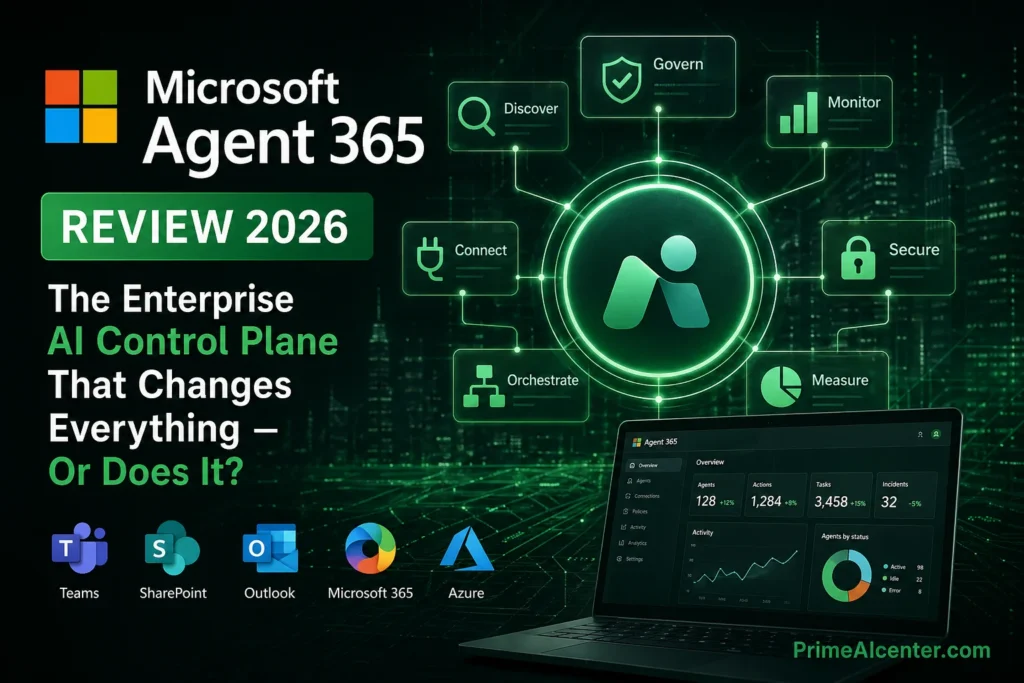
Microsoft describes Agent 365 as the “control plane for agents.” Strip the jargon and here’s what that means: it’s a centralized management platform that lets IT teams see every AI agent running in their Microsoft 365 environment, control what those agents can access, and respond if one goes rogue or gets compromised.
Think of it this way. Your company has 50 employees building agents in Copilot Studio. Another 10 agents came in through third-party vendors. Three more are running autonomously through Microsoft Foundry. Who owns them? What data can they touch? If one of them starts doing something weird at 2am, does anyone know?
That’s the exact problem Agent 365 is trying to solve. And based on Microsoft’s own research, it’s not hypothetical — 29% of agents in surveyed organizations operate without any approval from IT or security teams. Only 47% of organizations use any security tools to protect their AI deployments. Those numbers should scare any CISO.
Agent 365 is built around three core pillars: Observe, Govern, and Secure. Everything else flows from there.
Microsoft Agent 365 vs Alternatives (Quick Comparison)
| Feature | Agent 365 | Copilot Studio | Claude Cowork |
|---|---|---|---|
| Purpose | Governance & Security | Build Agents | Execute Tasks |
| Pricing | $15/user/month | Usage-based | Included in Copilot |
| Best For | Enterprises | Developers | End Users |
| Main Limitation | No agent building | No governance | Limited control |
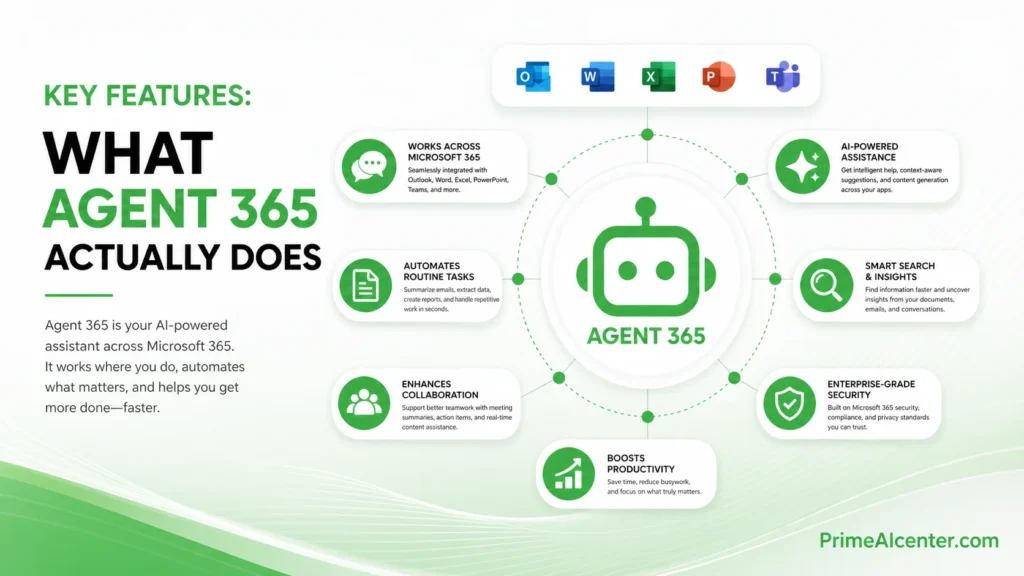
Key Features: What Agent 365 Actually Does
1. The Agent Registry
This is the centerpiece. The Agent Registry is a single, searchable inventory of every AI agent in your Microsoft 365 tenant — whether it was built in Copilot Studio, pulled from a third-party marketplace, registered via API, or brought in from partners like Adobe, Databricks, or ServiceNow. Every agent shows up here: who owns it, what permissions it has, what it’s been doing, and whether it’s been flagged for risk.
Before Agent 365, this inventory didn’t exist. Agents accumulated like shadow IT — useful in pockets, ungoverned at scale. The registry alone is worth the conversation for any enterprise running more than a handful of agents.
What I found impressive: the registry also catches “shadow agents” — AI agents that were deployed without IT approval. Once identified, admins can quarantine them, blocking discovery and connectivity until they’re properly reviewed. That’s a real operational capability, not just a dashboard widget.
For more on how enterprise AI agent frameworks are evolving, see our complete guide to AI agents in 2026.
2. Entra Agent ID — Agents as First-Class Identities
This is where Agent 365 gets architecturally interesting. Every agent gets a unique identity in Microsoft Entra — the same identity system protecting over 1 billion enterprise users. That means agents can have conditional access policies, least-privilege access enforcement, and full audit trails attached to them just like human employees.
Practically speaking: your HR automation agent gets its own identity (think agent-hr@yourcompany.com), its access is scoped to exactly what it needs, and if someone compromises a user account and tries to exploit that agent, Entra can block it in real time based on risk signals.
This isn’t a minor feature. It’s a fundamental architectural shift in how enterprises will think about AI security going forward. No more “the agent has access to everything the person who built it had access to.” That was always a disaster waiting to happen.
3. Observability Built on OpenTelemetry
Agent 365 uses OpenTelemetry (OTel) as the foundation for telemetry — which is a smart choice because it’s an open standard, meaning any agent platform can plug in without Microsoft-specific instrumentation. Every agent invocation, tool call, and exception gets captured in a unified schema and fed into Defender and Purview.
The Agent Map gives IT teams a visual representation of the entire agent ecosystem — who connects to what, where errors are spiking, which agents are interacting with each other. It’s the kind of thing you’d normally need a custom observability platform to build. Here it’s included.
Developers can add observability via SDK packages available for Python and Node.js. Install the core packages and your agent automatically starts reporting into the Microsoft admin center and security tooling. For complex orgs, this is genuinely useful.
4. Governance: Agent Blueprints and Policy Templates
Agent Blueprints are pre-configured definitions that specify what an agent can do: its capabilities, required tool permissions, security constraints, DLP policies, and audit requirements. Instead of every developer reinventing security configuration from scratch, IT publishes approved blueprints that developers extend. This is the right way to govern agent development at scale.
Policy Templates add another layer — IT can enforce standard security postures from day one, including prohibiting external data sharing, setting lifecycle rules (auto-expire inactive agents, flag ownerless ones), and controlling which users can create or manage agents in the first place.
This is where Agent 365 genuinely shines for larger organizations. The alternative — individual security reviews for every agent — doesn’t scale. Blueprints do.
5. Security Integration: Purview + Defender + Entra
This is Microsoft’s biggest advantage here. They didn’t build a new security stack — they extended the existing one. Microsoft Defender handles threat detection and real-time protection for agents, including AI-powered blocking of attacks and data exfiltration. Purview applies DLP policies to what agents can access, share, or leak. Entra handles identity and access control.
Purview specifically can flag “oversharing, exfiltration, and unethical behavior” from agents, with risk-based prioritization using Insider Risk Management signals. If an agent suddenly starts accessing a thousand SharePoint files it never touched before, that shows up as an anomaly. That’s the kind of behavioral baseline that would have cost you a separate SIEM integration before.
One thing I want to flag: some of these security features are still in preview at GA. Runtime threat protection via the “Agent 365 tools gateway” entered public preview in April 2026, which means it won’t be fully production-ready on day one. If your security team expects a complete story on May 1, temper those expectations.
For enterprises thinking about AI security broadly, read our piece on enterprise AI agent deployment best practices.
6. Developer Tools and MCP Interoperability
Agent 365 exposes APIs and SDKs so developers can build agents that are governed from the start rather than retrofitted. The SDK adds enterprise features like conversation management, audit logs, and governed tool access. More importantly, Agent 365 uses Model Context Protocol (MCP) as its interoperability standard, which means agents from any vendor — OpenAI, Anthropic’s Claude, LangChain, ServiceNow, Workday — can plug into the same governance framework.
That platform-agnostic design is smart. Microsoft isn’t forcing you to use only Microsoft-built agents to get governance benefits. If your team built something on Bedrock or a custom LangChain stack, it can still be registered, governed, and secured through Agent 365.
Want to understand how MCP fits into the bigger picture? See our guide to Web MCP and AI interoperability.
Pricing: The Numbers You Need to Know
| Option | Price | What’s Included | Best For |
|---|---|---|---|
| Agent 365 Standalone | $15/user/month | Agent Registry, Entra Agent ID, Observability, Governance, Security integration | Orgs already on E5 + Copilot who want agent governance without upgrading |
| Microsoft 365 E7 (Frontier Suite) | $99/user/month | M365 E5 + M365 Copilot + Entra Suite + Agent 365 | Enterprises deploying AI broadly who want everything in one SKU |
| Components Separately | ~$117/user/month | E5 ($60) + Copilot ($30) + Entra Suite ($12) + Agent 365 ($15) | N/A — E7 saves ~15% |
A few things to understand about the pricing model that most articles gloss over:
Licensing is per user, not per agent. Every agent acting on behalf of a licensed user is covered under that user’s seat. This is the right model for most enterprises — you’re not paying $15 per agent, you’re paying $15 per person who has agents working for them. For a 1,000-person organization, that’s $180,000/year for agent governance. Significant, but defensible if you’re running production agents handling sensitive workflows.
Agent 365 does not include agent building or execution costs. This trips people up constantly. Building and running agents requires separate consumption spending through Copilot Studio or Microsoft Foundry. E7 at $99/user/month is the governance layer, not the compute layer. The total cost of an “agentic enterprise” is considerably higher once you factor in consumption.
Some security features are not production-ready at GA. Runtime threat protection is in preview. If you’re buying Agent 365 primarily for security detection, know that the full story isn’t there yet on day one. SAMexpert’s analysis confirms this and it’s worth reading before committing: Agent 365 Licensing: What It Covers and Costs.
E7 math only works above ~60% AI user penetration. If less than half your org is actively using Copilot, the bundle discount doesn’t justify the jump. Run your actual numbers before the renewal conversation.
Microsoft Agent 365 Use Cases
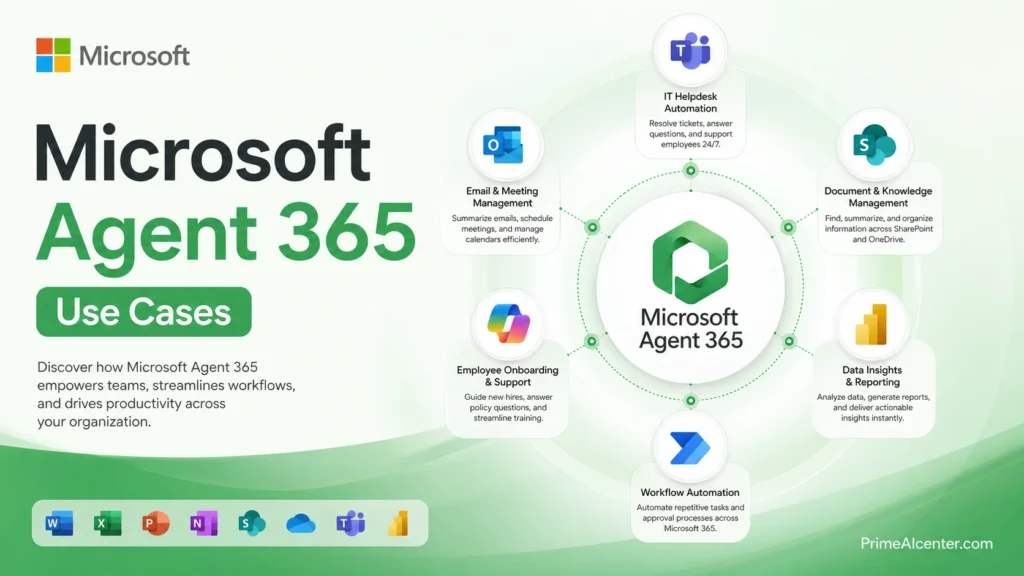
HR Automation at Scale
An HR department deploys an onboarding agent in Copilot Studio. It schedules meetings, creates onboarding documents in SharePoint, assigns training tasks in Planner, and sends welcome emails via Outlook. Before Agent 365, this agent has access to whatever the HR manager who built it has access to — payroll data, performance reviews, everything. With Agent 365, IT scopes it to exactly the resources it needs through Entra Agent ID, publishes it through an approved Blueprint, and monitors it daily via the Agent Map. If it starts accessing files outside its scope, Purview flags it.
Finance Workflow Governance
A finance team builds an expense-approval agent that reads submitted expense reports, checks them against policy, and either auto-approves or escalates. This agent touches sensitive financial data. Agent 365 ensures it has a complete audit trail — every decision, every data access, logged and available for eDiscovery if needed. Purview’s DLP policies prevent it from forwarding that data outside the tenant. The CISO can see its risk posture in Defender without needing a separate integration.
IT Self-Help Automation
IT deploys a self-help agent in Teams that handles password resets, software requests, and access provisioning. The Shadow AI pane in Agent 365 helps IT identify any rogue alternatives employees may have spun up on their own — and block them through Intune. Channel agent workflows let this agent trigger GitHub, Azure DevOps, or Jira automations from a single chat message. The whole thing runs under governed identities with least-privilege enforcement.
For a broader look at how AI is reshaping automation workflows, see our top AI workflow automation tools for 2026.
Legal and Compliance
A legal team uses an agent to process contract drafts, flag non-standard clauses, and summarize documents. Purview eDiscovery integration means every agent interaction is searchable for legal holds. Insider Risk Management flags if the agent starts behaving unusually — like processing hundreds of contracts per hour when the normal rate is 20. That kind of behavioral baseline is what turns AI from a liability into a managed asset in regulated industries.
Agent 365 vs. Alternatives
| Product | What It Is | Price | Best For | Key Limitation |
|---|---|---|---|---|
| Microsoft Agent 365 | Enterprise agent governance control plane | $15/user/month standalone | Large M365 enterprises deploying agents at scale | Governance only — doesn’t build or run agents |
| Microsoft Copilot Cowork | Multi-step task agent inside M365 apps | Included in M365 Copilot ($30) | Knowledge workers who want Copilot to complete complex tasks autonomously | Still in limited “Frontier” preview — no GA date published |
| Anthropic Claude Cowork | Anthropic-powered agentic tasks inside M365 | Included in M365 Copilot (uses Anthropic as subprocessor) | Reasoning-heavy enterprise workflows where Claude’s analytical depth matters | Depends on Microsoft’s data residency commitments |
| Copilot Studio | Low-code agent builder | $2/1,000 messages pay-as-you-go | Teams building custom agents for internal workflows | No governance without Agent 365 added |
The naming here is genuinely confusing, and I want to call that out directly. You have “Copilot Cowork,” “Claude Cowork,” “Agent 365,” and “Copilot Studio” all doing related but distinct things. Microsoft’s branding team has not done anyone any favors.
One detail worth knowing: Anthropic’s models are used as a subprocessor within Microsoft’s Cowork experience. Your “Microsoft” agent may be calling Anthropic’s Claude API under the hood. That has implications for data handling, and Microsoft has been quiet about surfacing this clearly to customers. It’s confirmed by Microsoft MVPs and Microsoft’s own documentation — but not exactly highlighted in sales materials.
For a complete breakdown of where AI chatbots fit, check our best AI chatbots 2026 comparison.
Is Microsoft Agent 365 Worth It in 2026?
Microsoft Agent 365 is worth it for large enterprises running multiple AI agents in production, where governance, security, and visibility are critical.
However, it is not ideal for small teams or companies still experimenting with AI, as the cost and complexity outweigh the benefits.
The biggest drawback is that it does not include agent creation or execution, meaning total costs can rise significantly when combined with Copilot Studio or other tools.
Pros and Cons
What Works
The governance story is genuinely strong. Agent Registry + Entra Agent ID + Purview DLP + Defender threat detection — this is a coherent, complete stack for enterprise agent security. No competitor has assembled this cleanly within a single license.
Platform-agnostic by design. You can govern agents from OpenAI, Anthropic, LangChain, ServiceNow, or custom builds. Microsoft isn’t forcing vendor lock-in at the governance layer, which matters for enterprises that want model flexibility.
Integrates with what you already have. If you’re on M365, Entra, Defender, and Purview — everything Agent 365 adds is an extension of familiar systems. No new security tools to buy, no new admin consoles to learn for the basics. That reduces deployment friction significantly.
Shadow AI detection. The ability to discover and quarantine agents that IT didn’t approve is probably the most immediately actionable feature for most enterprises. Shadow AI is already a problem. This is a concrete solution.
MCP interoperability. Using an open standard for agent connectivity is the right call. It future-proofs the platform and keeps enterprises from being stuck with only Microsoft-approved agents.
Where It Falls Short
It doesn’t build agents. I keep saying this because customers keep missing it. Agent 365 is governance, not creation. You still need Copilot Studio or Microsoft Foundry to actually build and run the agents. And those have their own consumption costs that aren’t included in the $15 or the $99.
Some security features are preview-only at GA. Runtime threat protection, security posture management for Foundry agents — these are in public preview on May 1. If you’re buying Agent 365 specifically for its security detection capabilities, you’re buying the roadmap, not the finished product.
Consumption cost opacity. Microsoft has published no guidance on expected per-agent costs, no reference architectures, no TCO models for the consumption layer. Enterprises literally cannot budget for the building and execution side of the equation right now. That’s a real problem for procurement teams.
Small business mismatch. At $15/user/month, Agent 365 is hard to justify for an organization with fewer than 500 employees running a handful of agents. The overhead — new governance roles, policy frameworks, adoption planning — doesn’t make sense at that scale. This is genuinely an enterprise product.
Complexity burden for developers. Governance-first design is great for IT, but it means developers have to work through IT-approved Blueprints, SDK integration, and Agent ID configuration before they can ship anything. In fast-moving environments, that can slow experimentation meaningfully.
For comparison, here’s how AI governance challenges look across the broader market: Gartner AI research and VentureBeat’s coverage of the Agent 365 announcement both put the urgency in context.
My Personal Take
This is where I’ll be direct with you. The enterprise AI agent governance problem is real. I’ve talked to IT teams who are already dealing with it — agents that nobody owns, agents with access that was scoped incorrectly, agents that sent internal data somewhere it shouldn’t have gone. Agent 365 is the most coherent answer Microsoft has offered to that problem, and it has the advantage of being built on infrastructure enterprises already trust and know how to manage.
What impresses me most isn’t any single feature. It’s the architectural decision to treat agents as first-class identities in Entra. That’s the right abstraction. Humans have identities. Applications have service principals. Agents should have agent identities. Microsoft got that call right, and it’s the foundation everything else is built on.
Where I’m more skeptical: the pricing model assumes you’ve already solved the “what agents should we build” problem. If you’re still figuring out which workflows should be agentic, $15/user/month for governance of those agents is premature. The FindSkill.ai analysis put it well — Agent 365’s complexity is wasted on teams that haven’t figured out which workflows even want to be agentic. Start with Copilot Cowork, build some muscle, then add the governance layer when you’re actually running multiple agents in production.
I was also surprised that Microsoft shipped GA with several security features still in preview. For a product whose core value proposition is enterprise-grade security and governance, having runtime threat protection in public preview on launch day is a gap. It’ll get there. But if you need the full security story today, you’re waiting.
The consumption cost opacity is a legitimate frustration. Any enterprise doing serious financial planning needs to know what the execution costs will look like, and Microsoft hasn’t given that guidance yet. That makes it hard to do honest ROI modeling right now.
Bottom line: if you’re a mid-to-large enterprise already on M365 E5 + Copilot and you’re deploying agents in production — buy Agent 365. The governance story is good, the integration is clean, and the alternative (managing this manually or not at all) is worse. If you’re still in the experimentation phase, wait until your agent portfolio is real enough to need governing.
For context on where AI tools fit in your broader stack, check our best AI tools for 2026 roundup and our guide to best AI coding assistants if your teams are building agents in-house.
If you’re seriously deploying AI agents at scale, bookmark this guide — you’ll likely come back to it once governance becomes a real challenge.
Microsoft 365 E7 — Is the Bundle Worth It?
E7 at $99/user/month is Microsoft’s first new enterprise tier since E5 launched in 2015. It packages M365 E5, Microsoft 365 Copilot, Entra Suite, and Agent 365. Bought separately, that runs about $117/user/month, so the bundle saves roughly 15%.
But the math only makes sense if you genuinely need all four components. If you already have standalone Entra licenses, that overlap reduces the real savings. If Copilot adoption in your org is below 60% of users, you may be paying for seats that don’t use it. Run the numbers against your actual usage before your renewal conversation. The SAMexpert E7 licensing guide is the most honest breakdown I’ve found — worth reading before any procurement conversation.
One timing note: Microsoft is hiking M365 commercial pricing in July 2026 — single digit percentage increases across most SKUs, but up to 33% on some plans. If your Enterprise Agreement renewal falls before July 1, you can lock in current pricing through the next renewal cycle. This makes Q1-Q2 2026 the most important negotiation window of the year for M365 customers.
Official resources: Microsoft Agent 365 official page | Microsoft Learn: Agent 365 Overview | Microsoft 365 Copilot Release Notes
Who Should Use Microsoft Agent 365?
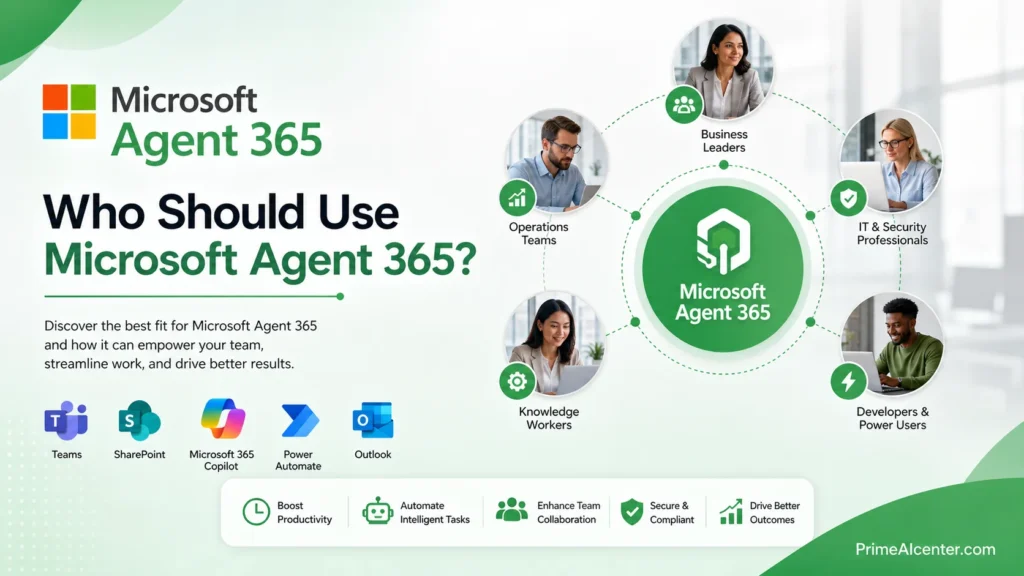
Buy it if:
- You’re a mid-to-large enterprise already running multiple AI agents in production across M365
- Your CISO is asking for an audit trail of AI agent behavior
- You’ve already seen shadow AI agents appear in your tenant without IT approval
- You’re in a regulated industry (finance, healthcare, legal) where agent behavior must be auditable and defensible
- You’re already on E5 + Copilot and the $15 add-on is incremental, not a major new expense
Wait if:
- Your organization is still running AI pilots with a handful of agents
- You haven’t yet built an agent governance framework — buying the tool without the process gets you nothing
- You’re under 500 users and the operational overhead of running Agent 365 properly outweighs the benefit
- You need the full security detection story and don’t want to wait for preview features to GA
For solopreneurs and smaller teams, the best AI tools 2026 roundup will be more relevant. Agent 365 is enterprise infrastructure, not a productivity tool for individuals.
Also see our coverage on AI productivity for smaller operations: best open source AI models and AI statistics 2026.
Additional Resources
- Microsoft Agent 365 — Official Product Page
- Microsoft Learn: Agent 365 Overview
- Microsoft 365 Copilot Release Notes (live)
- Microsoft Blog: Frontier Transformation Announcement (March 9, 2026)
- Microsoft Blog: Copilot Agentic Capabilities GA (April 22, 2026)
- SAMexpert: Agent 365 Licensing Deep Dive
- SAMexpert: Microsoft 365 E7 Bundle Breakdown
- VentureBeat: Microsoft Agent 365 Analysis
- Microsoft Tech Community: What’s New in Copilot Feb 2026
- Microsoft Security Blog: Secure Agentic AI
- Copilot Consulting: Wave 3 Enterprise Guide
- FindSkill.ai: Agent 365 vs Claude Cowork vs Copilot Cowork
- Alchemy Tech Group: M365 E7 and Agent 365 Practical Guide
- Trustmarque: What’s Launching May 1 and What It Means
- ByteIota: Agent 365 Deep Dive
- PeafowlIT: Agent 365 Governance Guide
- Vlad Talks Tech: M365 Conference 2026 Recap
- AI CERTs: Microsoft Agent 365 Governance Analysis
- Office Watch: Copilot Agent Mode Explained
- Microsoft Purview: Managing Data Security for Agent 365
- Microsoft Learn: Agent 365 Observability Developer Guide
Quick Answers About Microsoft Agent 365
What does Agent 365 actually do?
It provides governance, security, and visibility for AI agents across Microsoft 365.
Does it build AI agents?
No, it only manages and secures agents built using other tools.
Who should use it?
Large enterprises managing multiple AI agents in production environments.
Frequently Asked Questions
What is Microsoft Agent 365?
Microsoft Agent 365 is an enterprise control plane for AI agents — a centralized platform that lets IT and security teams observe, govern, and secure every AI agent running in a Microsoft 365 environment. It launched in general availability on May 1, 2026 as part of the new Microsoft 365 E7 “Frontier Suite.” It is not an agent builder — it’s a governance and security layer for agents built elsewhere.
How much does Agent 365 cost?
Agent 365 is available as a standalone product at $15 per user per month, or included in the Microsoft 365 E7 bundle at $99/user/month (which also includes M365 E5, Microsoft 365 Copilot, and Entra Suite). Buying those components separately costs roughly $117/user/month, so E7 saves about 15%.
Does Agent 365 include the ability to build AI agents?
No. Agent 365 is governance and security only. Building and running agents requires separate tools — Copilot Studio ($2/1,000 messages) or Microsoft Foundry — with their own consumption costs. This is the most common misconception about the product.
What is an Entra Agent ID?
Entra Agent ID gives each AI agent a unique, managed identity in Microsoft Entra (formerly Azure AD). This means agents can have conditional access policies, least-privilege permissions, and audit trails attached to them — treated like digital employees rather than anonymous processes running in the background.
What is the Agent Registry in Agent 365?
The Agent Registry is a centralized, searchable inventory of every AI agent in your Microsoft 365 tenant — including first-party Microsoft agents, third-party agents, and even shadow agents (agents deployed without IT approval). IT teams access it through the Microsoft 365 Admin Center; security teams see the same data in Defender and Purview.
Is Agent 365 platform-agnostic?
Yes. Agent 365 uses Model Context Protocol (MCP) for interoperability, meaning agents built with OpenAI, Anthropic’s Claude, LangChain, ServiceNow, Workday, or custom frameworks can all be registered and governed through the same control plane. You don’t have to use only Microsoft-built agents.
What are Agent Blueprints?
Agent Blueprints are pre-configured governance templates that define what an agent can do, what permissions it needs, what security constraints apply, and what DLP policies are enforced. IT teams publish Blueprints, and developers build agents that conform to them. This lets organizations scale agent development without individual security reviews for every new agent.
Is Microsoft Agent 365 worth it for small businesses?
Probably not yet. The $15/user/month cost, combined with the operational overhead of setting up proper governance processes, new admin roles, and policy frameworks, is hard to justify for organizations with fewer than 500 employees running a small number of agents. Small businesses are better served by starting with Copilot Studio for building and Copilot’s built-in controls for basic governance.
How does Agent 365 handle shadow AI?
Agent 365 includes a Shadow AI pane that identifies AI agents operating in your tenant without IT approval. Once detected, admins can quarantine these agents — blocking them from being discovered by users, connecting to other agents, or accessing organizational resources — until they go through proper review and approval.
What is Microsoft 365 E7?
Microsoft 365 E7, also called the “Frontier Suite,” is Microsoft’s new top-tier enterprise license that bundles M365 E5, Microsoft 365 Copilot, Microsoft Entra Suite, and Agent 365 into a single $99/user/month SKU. It’s the first new enterprise license tier Microsoft has introduced since E5 launched in 2015, available from May 1, 2026.